
API tokens and OAuth
Credentials for scripts, CI and AI agents, with their own capabilities, scope and expiry.
Use tokens for scripts, CI, API clients, and MCP agents that access Deplo without a browser.
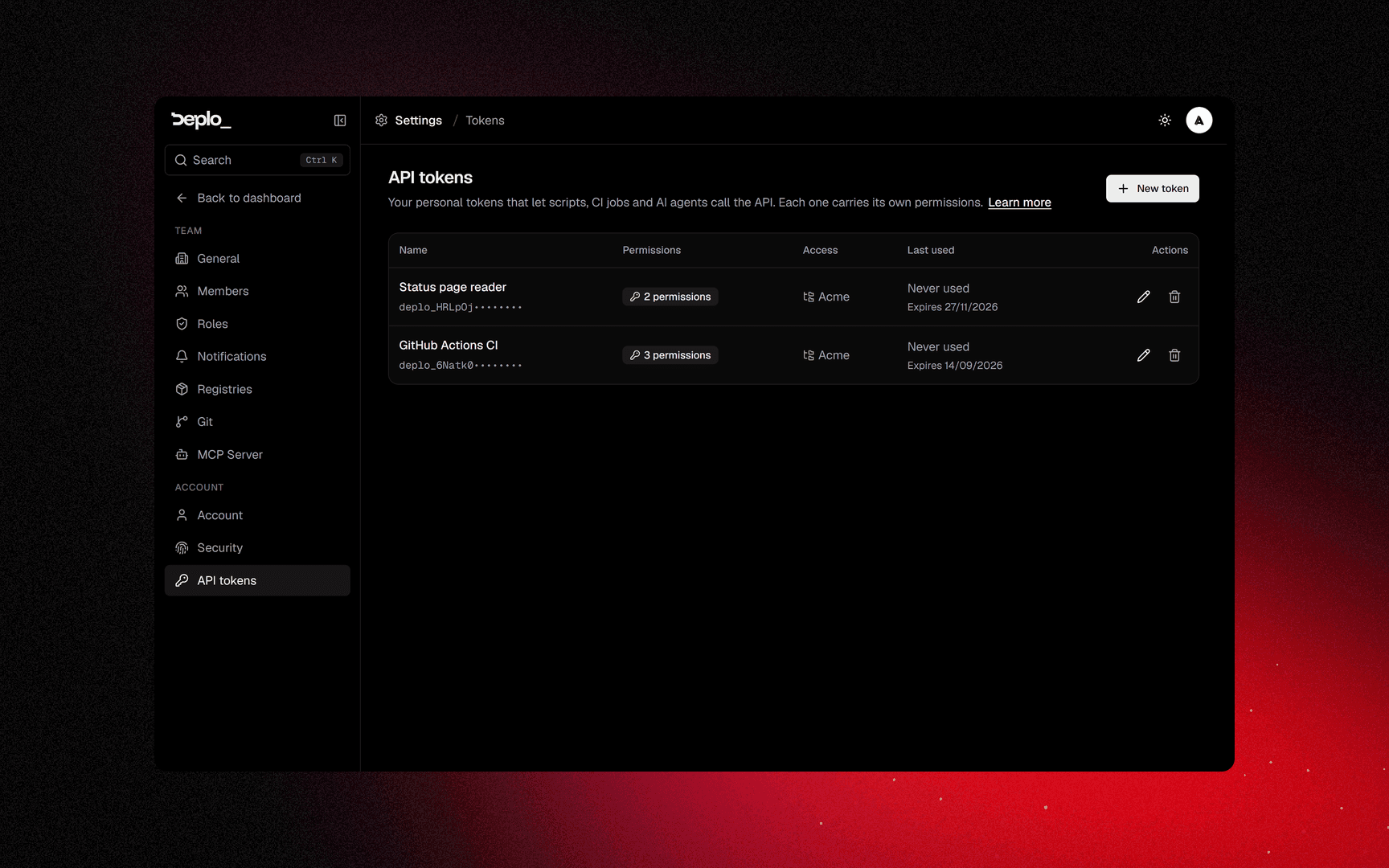
Settings -> API tokens, under your account. A token is personal: it belongs to the person who created it, and nobody else can see, edit or revoke it - not a team admin, not an instance admin.
A token has its own capabilities, rather than impersonating its creator. You can change its capabilities later without reissuing it.
Its effective power is the live intersection of two things:
what the token was granted AND what its owner can still doWhere it can act is decided by the team, per member, with two capabilities:
| Capability | What it allows |
|---|---|
Use API tokens (manage_tokens) | The member's tokens can act in this team at all |
Connect AI agents (manage_mcp) | The member's tokens can drive this team over MCP |
Both are checked live on every request. Removing a member from a team or taking away either capability immediately cuts off the relevant tokens.
Settings -> Members shows how many tokens and agents each member has reaching the team - a number, never the credentials.
The secret is shown once, at creation. Only its hash is stored.
Create an API token
Start a new token
Settings -> API tokens, then New token. Any member can, in the teams where they hold Use API tokens.
Pick a starting point
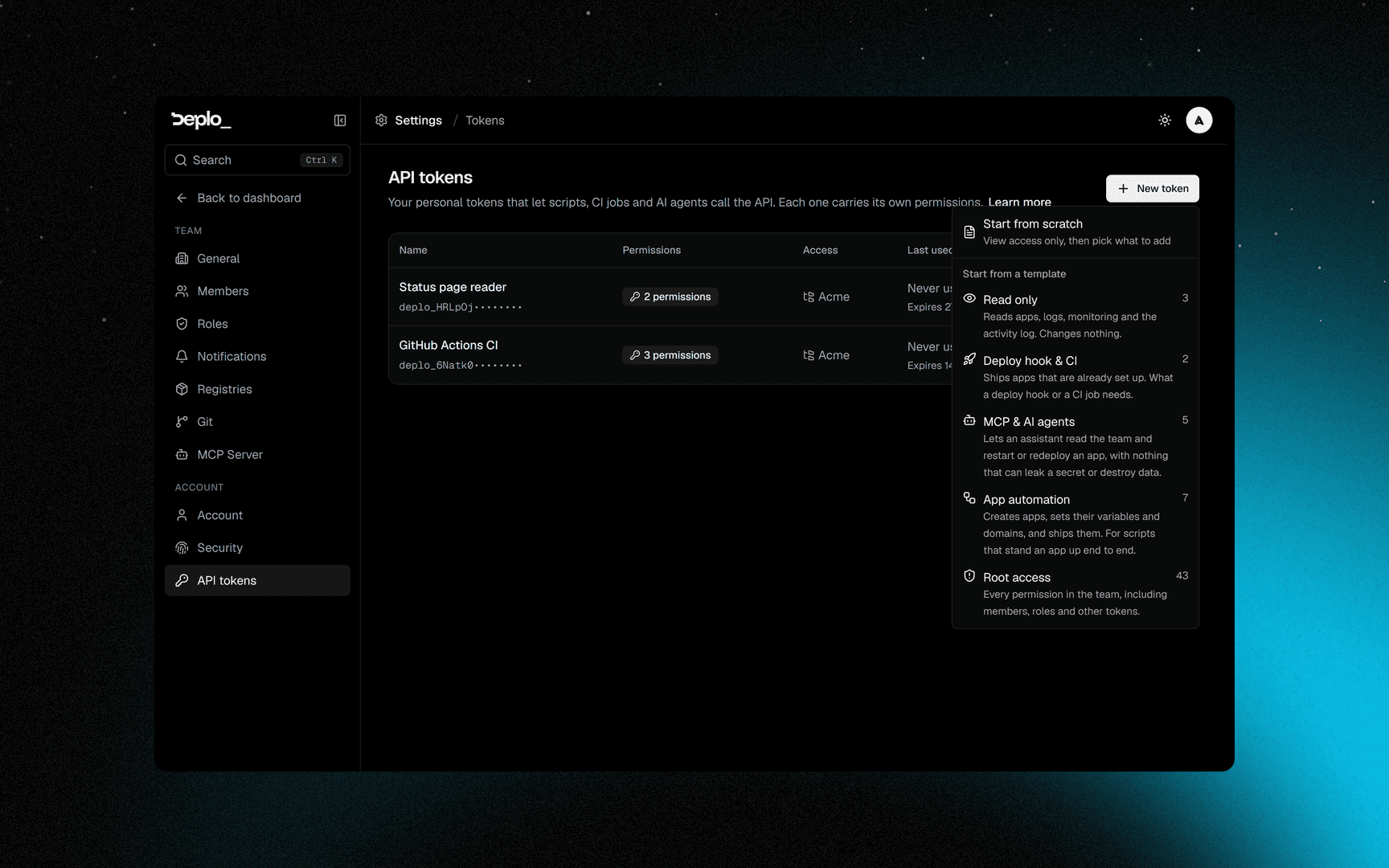
Start from a template or Start from scratch. Templates, least powerful first:
| Template | For |
|---|---|
| Read only | Dashboards and reporting |
| Deploy hook & CI | A pipeline that deploys |
| MCP & AI agents | An agent driving the team |
| Root access | Everything you can do |
Everything stays editable on the next step.
Name it and set an expiry
The picker offers 30 days, 90 days, a year and Never, and a new token defaults to 90 days. A token created over the API without an expiry also gets 90 days. A token cannot create another token that expires later than itself.
Tick capabilities
Sensitive ones are marked.
Set the scope
A tree: whole Teams, whole Projects, whole Folders (subtrees included), or individual Apps. Ticking nothing means every team where you may use API tokens, now and later: join a team tomorrow and the token reaches it without being edited.
Instance admin bit, optionally
Instance admins may also set the Instance admin bit, mutually exclusive with a scope.
Copy the token
You will not see it again.
Use the token
Send it as a bearer token, and name the team you are acting in:
curl -s https://deplo.example.com/api/graphql \
  -H "Authorization: Bearer deplo_xxxxxxxxxxxxxxxxxxxx" \
  -H "X-Deplo-Team: team_1a2b3c" \
  -H "Content-Type: application/json" \
  -d '{"query":"{ apps { id name status } }"}'
A bearer request acts in one team. Without the header it lands in the first team the token reaches. The full surface is in the API reference.
Scope and effective access
Naming a project, a folder or an app clamps the token to the capabilities that mean something at that level, and drops the rest. Managing the team's members is not one of them, so a token scoped to one app cannot do it. Naming a whole team does not clamp anything.
If you need both, create two tokens.
Two more limits. A token can edit or revoke only itself, never another token. Instance admin is opt-in per token: creating one as an instance admin does not make it one.
Connected clients and OAuth
A web AI application (claude.ai, chatgpt.com) cannot be handed a pasted token, so Deplo acts as an OAuth authorization server for exactly this one purpose.
Approving on the consent screen creates an ordinary API token with the capabilities and scope you picked there. The access token the client holds is only a pointer at that row:
- It appears in Settings -> API tokens, marked as such.
- Revoking it there stops the client immediately, in every team.
- The OAuth scopes decide nothing. The token's capabilities do.
By default the connection reaches every team where you hold Connect AI agents and MCP is on. Narrow it on the consent screen if the client should only see part of that.
Expiry
Expiry is checked before access, across GraphQL, MCP and deploy hooks.
Expired tokens stay in the list, so you can see why a credential stopped working.
Tokens created before expiry existed have none, until you edit them.
Important limits
- Shown once. If you lose it, revoke it and create a new one.
- A token cannot transfer team ownership. That action needs a human with a password and a second factor.
- A token cannot reveal a secret through MCP, whatever it holds.
- Two-factor policy applies. If the team requires it and the token's owner has not enrolled, the token resolves nothing there.
- Only its owner can revoke it. A team takes the access away through the member: remove them, or take away their Use API tokens or Connect AI agents capability.
Troubleshooting
- 401 - missing, revoked, or expired.
- 403 on one field - the token lacks that capability, or the scope excludes that resource.
- It worked yesterday - your capabilities changed (Use API tokens gone means the token no longer reaches that team), it expired, or the team turned on two-factor.
More in Sign-in and access troubleshooting.
See also
Did this page help you?