
The deploy trace
What happens during one deploy, step by step.
One deploy, from the trigger to a running container. Knowing these steps makes most error messages easy to understand.
Something triggers it
| Trigger | Comes from |
|---|---|
| Deploy or Redeploy in the dashboard | A person |
| A push to the tracked branch | The git provider's webhook |
| A new tag | The same webhook, when the trigger is set to tags |
A POST to the app's deploy hook URL | CI, a script, a provider Deplo cannot register a webhook with |
| A pull request opened or updated | Previews, if they are on |
| Rollback | A person, and it skips most of the steps below |
| The MCP server or the GraphQL API | A token with deploy_apps |
An automatic trigger can be filtered: watch paths skip the deploy if the push touched nothing under the paths you listed, and skip unchanged deployments skips it if nothing under the root directory changed. A manual redeploy always runs.
It waits for a slot
Every server runs 1 deploy at a time by default, so deploys to the same machine queue. Deploys
to other servers run in parallel. Two deploys of the same app never overlap.
A queued deploy shows its position in the build log. If the app builds on a build server, it waits for a slot on that machine.
The agent fetches the source
The control plane contacts the agent on the target server over an encrypted connection and hands over the job, including the decrypted credentials. The agent never holds the encryption key.
- Git sources are cloned by the agent with the token from the git connection. Submodules are included if the app asks for it.
- Upload sources use the archive you uploaded.
- Docker image and Compose sources skip this step.
The framework is detected
For Nixpacks and Railpack builds, Deplo detects the framework from package.json and the root
configuration on every deploy. It is never stored.
Detection gives the install, build and start commands and the default container port. Anything you typed by hand always wins. Dockerfile and Static builds skip detection.
The image is built
| Method | What happens |
|---|---|
| Railpack (default) | Creates a build plan from the detected language and framework |
| Nixpacks | The same idea, a different builder |
| Dockerfile | Your Dockerfile, with your build context and optionally a --target stage |
| Static | Builds, then serves the output directory, with an optional single-page fallback |
Every environment variable is available during the build too, so build-time values such as
NEXT_PUBLIC_* work. Each one becomes a build ARG. Only NODE_ENV also becomes an ENV, and
the running container gets the app's variables anyway.
The image stays on that server. Deplo pushes to no registry, so an instant rollback needs the image to still be there. Once it is gone, an app from a repository rebuilds the commit.
Build output streams to the dashboard live and survives a page reload or a control plane restart. It is capped at 20,000 lines of 4,000 characters each.
The environment is resolved
Four layers, lowest priority first: instance-wide variables, the app's own variables, a shared variable the app has linked, then a preview override (previews only). The highest layer that defines a name wins.
A secret value is write-only on every layer. For security reasons, a preview built from a fork gets only the plain preview overrides and nothing the app itself was given.
The stack is rendered
This happens on the control plane, never on the server. It produces:
- The Compose file. One service for a single-image app, or your Compose stack with Deplo's entries added.
- The Traefik labels. One route per domain, with its rule, entry point, certificate provider and extras. Path routes win over whole-host ones, longest path first.
- The port. One container port per app, plus any per-hostname override.
- The volumes, the resource limits and the mounts.
The agent receives the finished YAML. No routing logic lives on the server side.
The agent starts it
The agent writes the stack and, when there are secrets, a private environment file next to it,
then runs Compose. The containers join the app's Environment network, deplo-env-<id>, or
the team's deplo-team-<id> when the app is in no Environment, or deplo-preview-<key> for a
preview. This is why apps and databases in the same Environment reach each other by name.
Traefik sees the new labels and starts routing. If the domain has a certificate provider, Traefik requests the certificate on the first HTTPS request.
The result is recorded
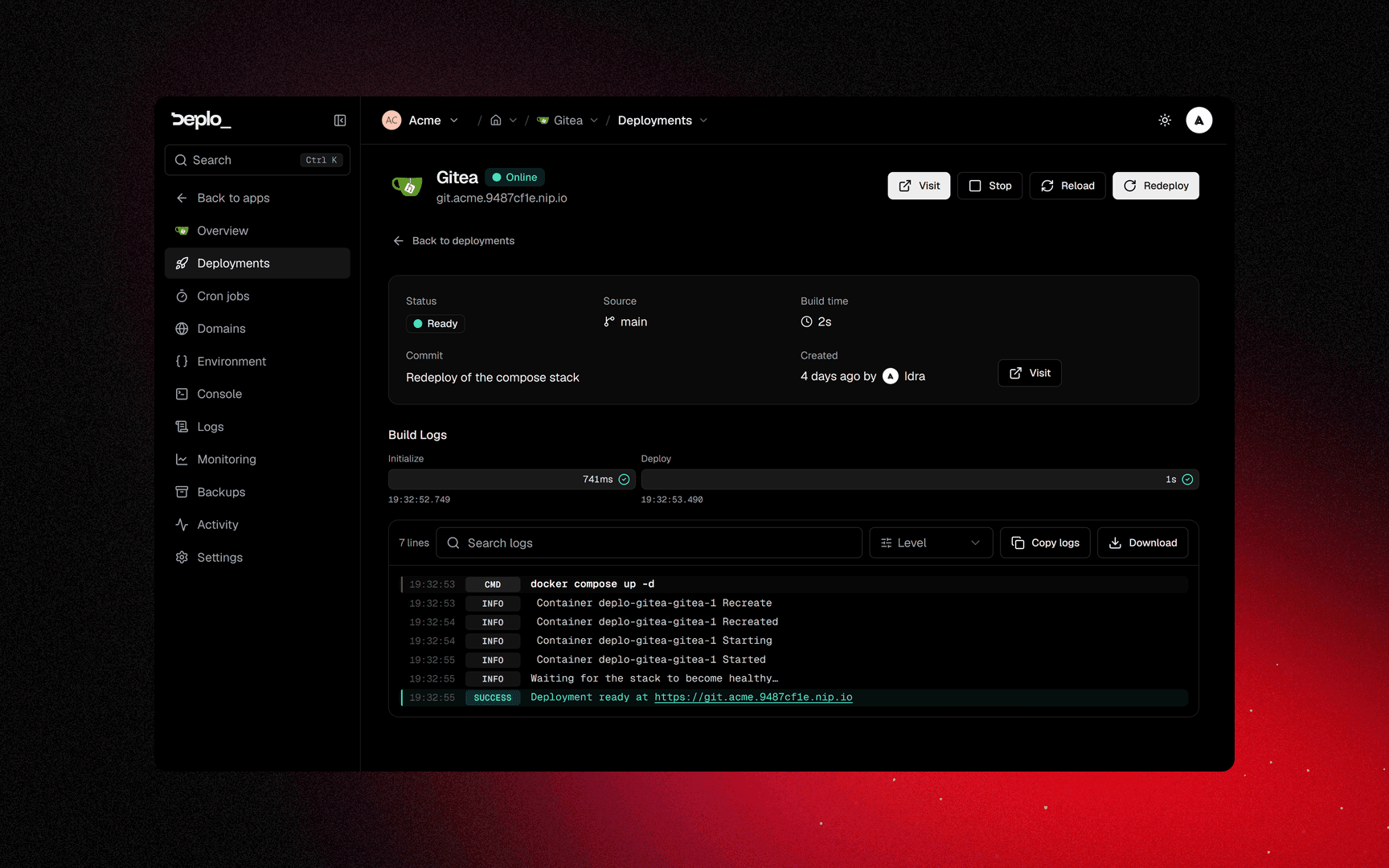
The deployment gets its final status, its image reference, its duration and its logs. The app's
status becomes active, or error if the build or the start failed.
Images older than the app's rollbacks kept setting (default 3) can be removed by the
server's disk cleanup. Deplo pushes to no registry, so a removed image is gone.
What a deploy does not do
- It does not touch your data. Volumes are reattached, never recreated.
- It does not change the slug, the volume names or the app's identity.
- It does not roll back on failure. A failed deploy leaves the previous version running. See App status.
A rollback is much shorter
Steps 3 to 6 are skipped. Deplo runs an existing image again with the current configuration: the code goes back, the variables, domains, volumes and limits do not. It is recorded as a real deployment with its own logs.
Next steps
Did this page help you?