
Add a domain
Give an hostname to your app, and serve it over HTTPS.
Most apps get a generated deplo.site address the moment they are created, this guide
covers how to change it. An app that serves nothing over HTTP starts with no address at all
Point the domain at the server
Find the server's public IP
It is on the server card in Settings -> Servers, and it is also the hexadecimal part of the
app's generated deplo.site URL.
Create an A record
At your DNS provider, create an A record for the hostname, for example
app.example.com -> 203.0.113.10.
If the server has IPv6, also create an AAAA record for the same hostname. Once the domain is
added, its row prints the address, for example 2001:db8::10.
No AAAA unless the server has IPv6
An AAAA record that points anywhere but this server makes the domain misconfigured, even next
to a correct A record. If the row prints no AAAA address, create only the A record.
Add it in Deplo
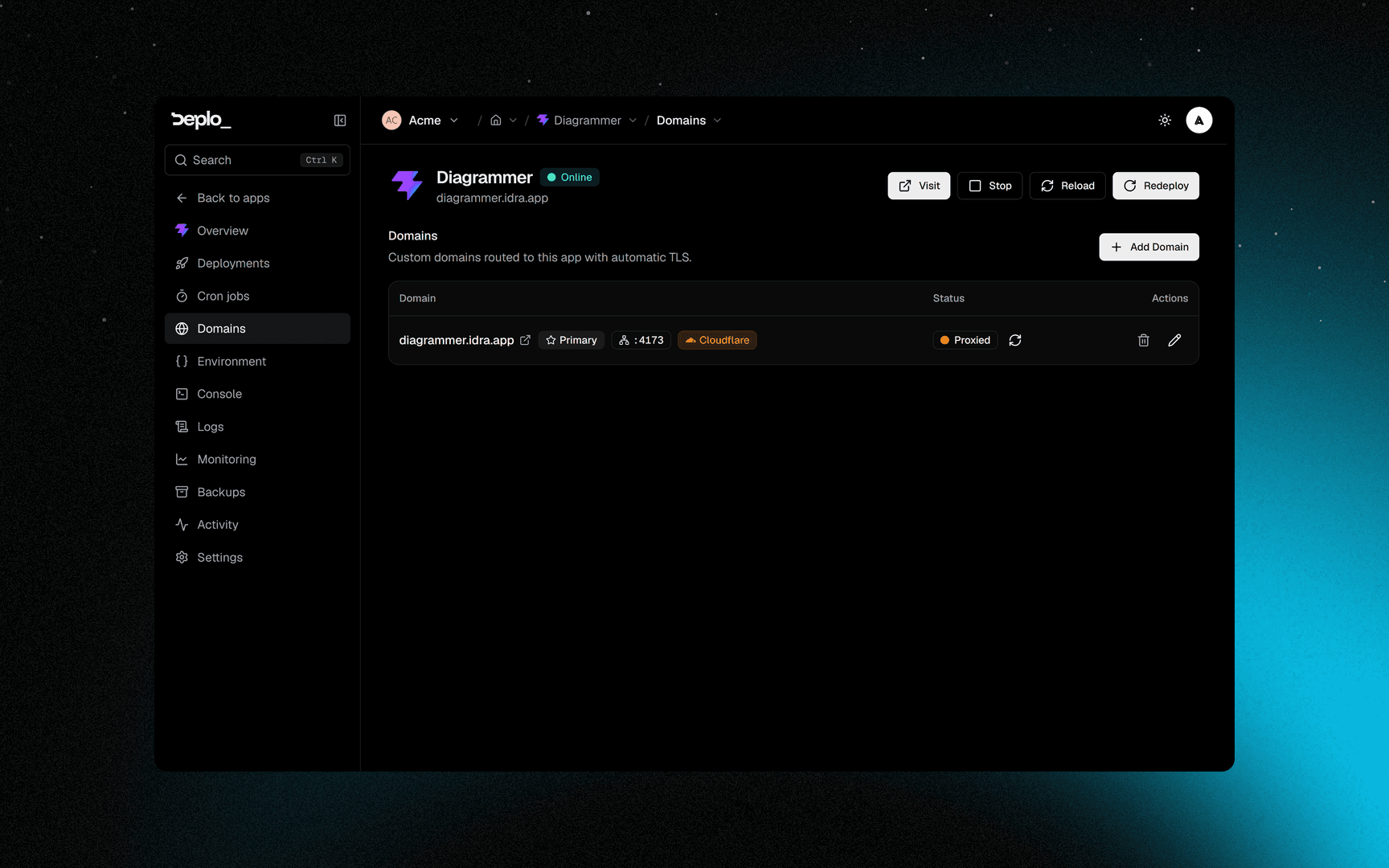
Open the app's Domains tab
Click Add Domain and type the hostname, for example app.example.com. An app with no domain
yet also carries an Add domain button on its own page.
Turn on HTTPS
Open Advanced settings, then the HTTPS group, and set Certificate to Let's Encrypt. Behind Cloudflare's orange cloud, Deplo detects the proxy and selects Cloudflare for you.
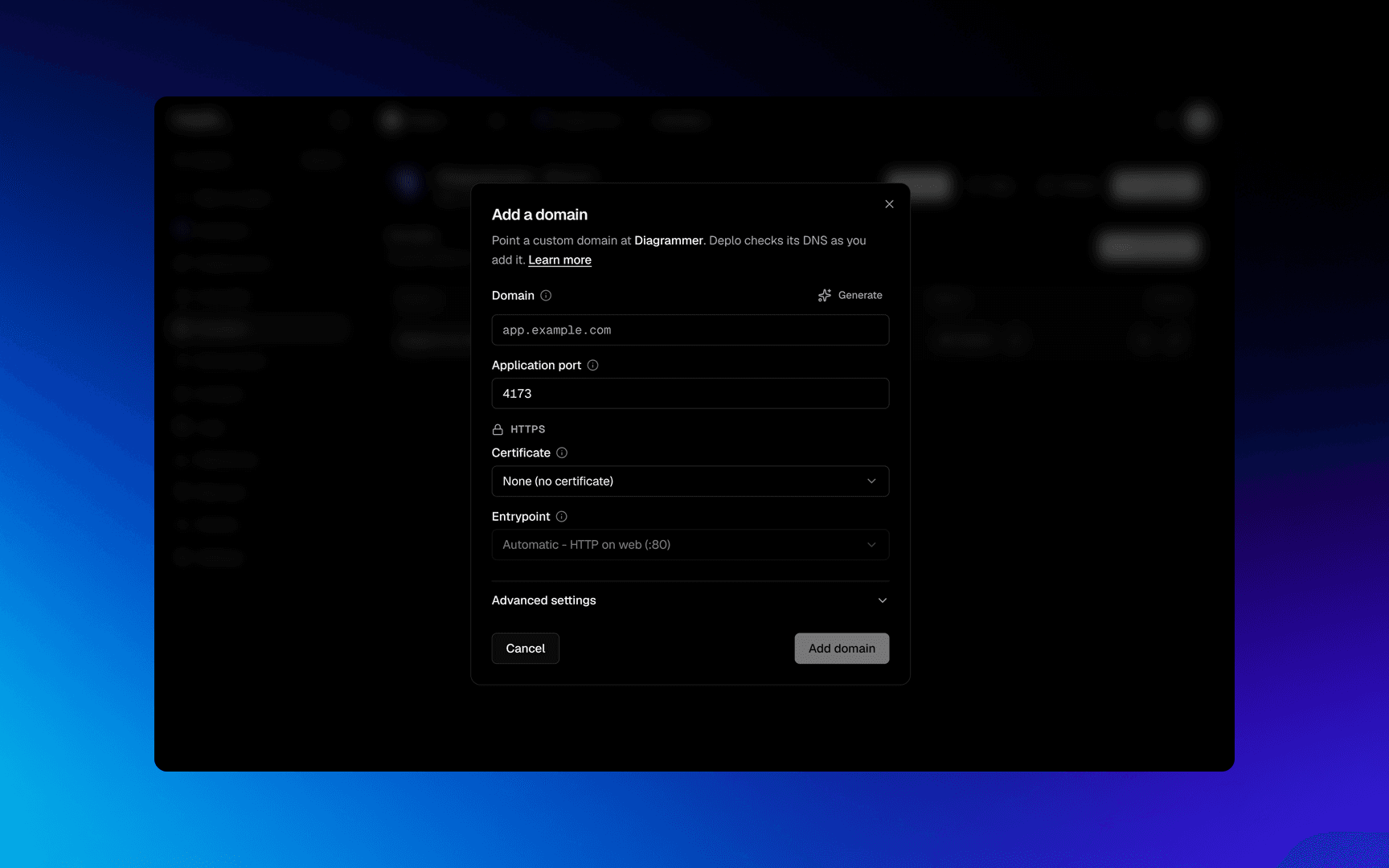
Confirm, and wait for DNS
Click Add domain. The DNS will be automatically checked
Set it as primary
When available, you can click the star on the domain's row to mark it as primary
Let's Encrypt validates over HTTP, so port 80 must be reachable from the internet even for a site you only intend to serve on 443.
No domain yet?
The Add Domain dialog has a Generate button that automatically creates a new deplo.site hostname
Deplo skips the generated address when it cannot tell where the traffic should land:
- a compose app where no service declares
ports:orexpose:, a stack of background workers for example - an app built from a database image, like
redisorpostgres
Nothing is broken, the app simply has no front door yet. Open Add Domain, click Generate, and on a compose app pick the container the address routes to
Troubleshooting
| Symptom | What to check |
|---|---|
| Stuck on Waiting for DNS | The record has not propagated, or it points at a different machine. Check with dig +short app.example.com. |
misconfigured with a correct A record | An AAAA record points elsewhere. Check with dig +short AAAA app.example.com, then remove it or point it at the server's IPv6. |
| The browser shows a certificate warning | The certificate has not issued, the port 80 is closed, or the domain resolves elsewhere. If the hostname is new it needs to propagate or your browser is using the old certificate from cache |
| 404 from the proxy | The domain resolves and the certificate is fine, but no router matches. Usually the app is stopped, or the domain sits on an app running on a different server. |
More in Domains and TLS.
Next steps
Did this page help you?