
Resource limits
Cap what one app or database may take from its server, memory, CPU, processes, files, disk.
Resource limits stop one runaway container from taking down the host and everything else on it.
Settings -> Resources, on an app or a database.
Each field becomes a key in the rendered Compose file, applied by Docker when the container starts. They are enforced by the kernel, not by Deplo, which is why they take effect on the next deploy and not before.
Every dimension is independently optional. Setting a memory limit does not oblige you to set anything else.
Memory and CPU
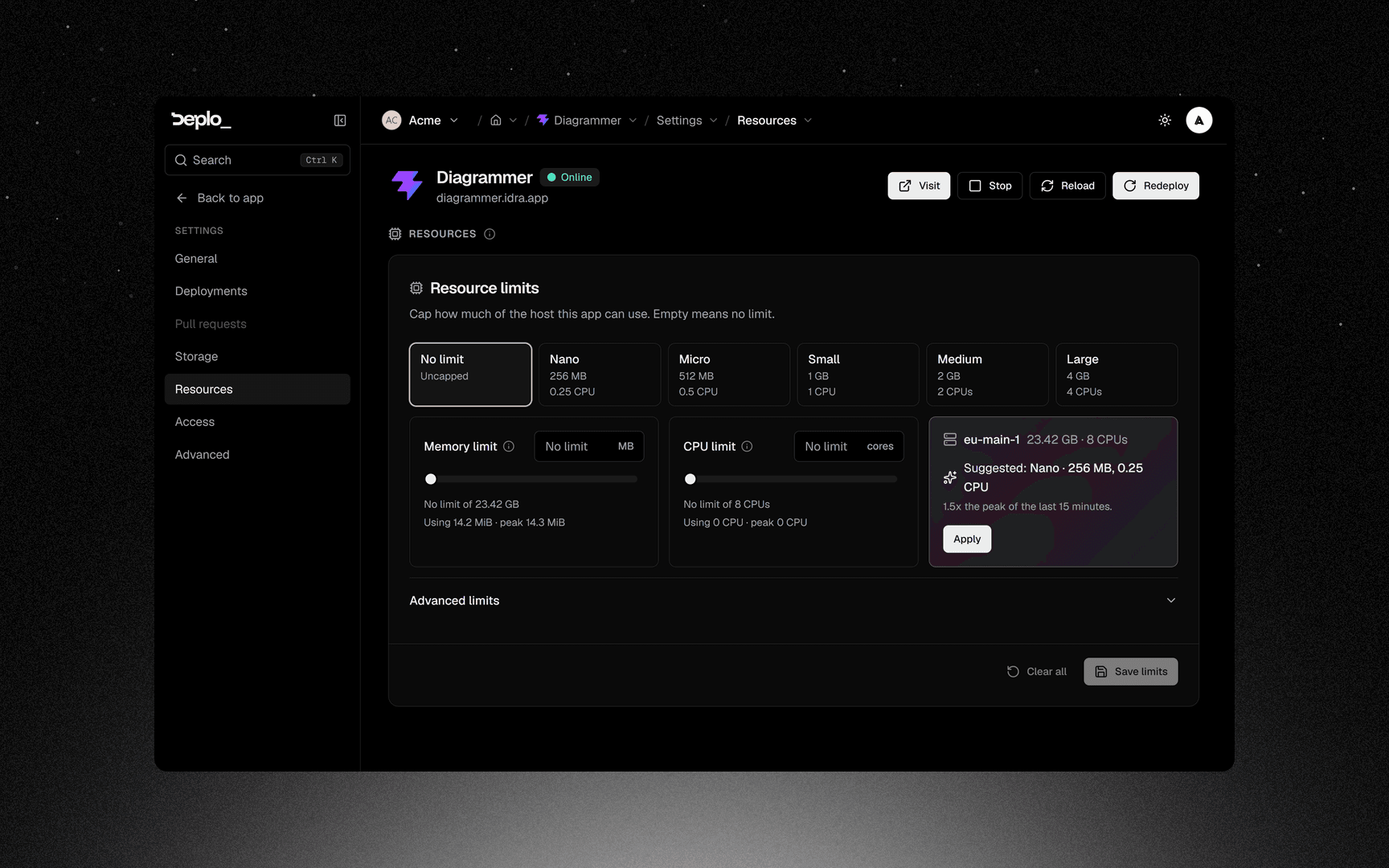
Size sets both at once. Pick a tile from Nano to Large, or No limit to leave the app uncapped. A tile bigger than the app's server is greyed out and says why.
Prop
Type
The slider and numeric field stay in sync. With View monitoring, the bar also shows current and 15-minute peak usage. The suggested size leaves 1.5x headroom; Apply fills it and Save limits stores it. A cap below the recent peak is flagged before you save.
Limits apply on the next deploy, so the confirmation offers Deploy now (Redeploy now on a database). Clear all removes every limit, advanced ones included.
A memory limit is a kill switch, not a throttle. A process that goes past it is terminated, not slowed down. Set it above the app's real peak, not at it, and watch Monitoring for a while before tightening.
Advanced limits
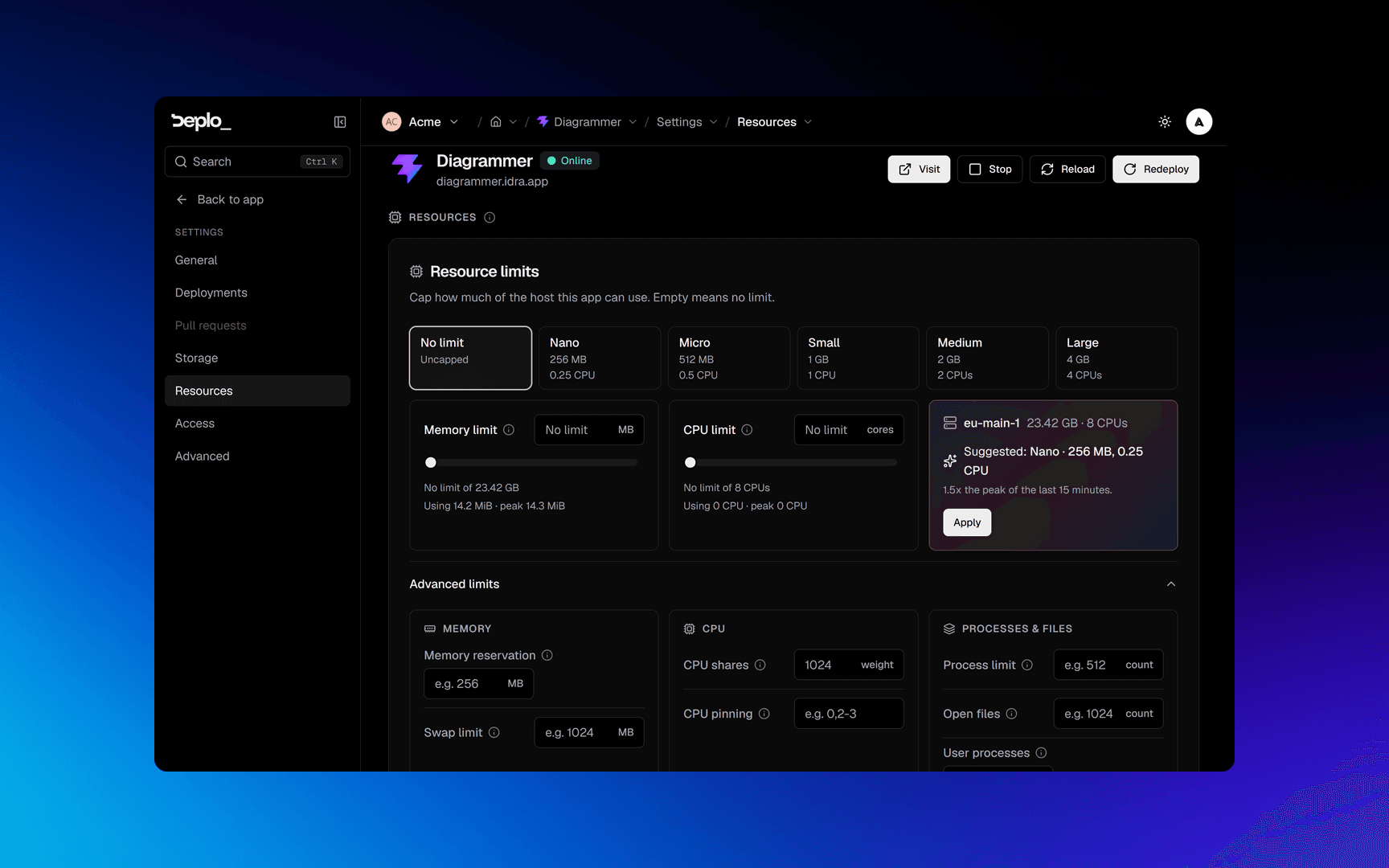
Prop
Type
Important limits
- Disk quota only works on some hosts. It needs
overlay2on XFS with project quotas, or devicemapper. Anywhere else, Compose rejects the key and the deploy fails. Leave it alone unless you know the storage driver. - MySQL and MariaDB will not start under about 512 MB. The interface warns you about exactly this on a database.
- Limits apply on the next deploy. Save, then redeploy.
- A container killed for memory looks like a crash. The logs end mid-work with no error, and the app restarts. If a container dies at the same size every time, this is why.
- CPU limit and CPU shares are different things. A limit is a ceiling that applies always. Shares only matter when the machine is contended.
- A negative OOM priority needs the host-volumes grant. It asks the kernel to kill other containers first, so it is gated like a bind mount.
Troubleshooting
- The container is killed repeatedly - the memory limit is under its real peak. Raise it, or fix the leak.
- The deploy fails on the storage option - the host does not support disk quotas. Clear that field.
- The limits seem to do nothing - they were saved but not deployed. Redeploy.
More in Deploys and builds troubleshooting.
See also
Did this page help you?