
Published ports
Reach an app on a port of the server, for anything that is not a website.
Deplo routes websites and APIs through its proxy and HTTPS. Use a published port for protocols that are not HTTP, such as game servers, SMTP, or raw TCP.
A published port binds a port of the server straight to a port of your
container, so clients connect to your-server:16379 instead of to a name.
Settings -> Advanced -> Published ports, on an app.
Publish a port
Open the app's Advanced settings
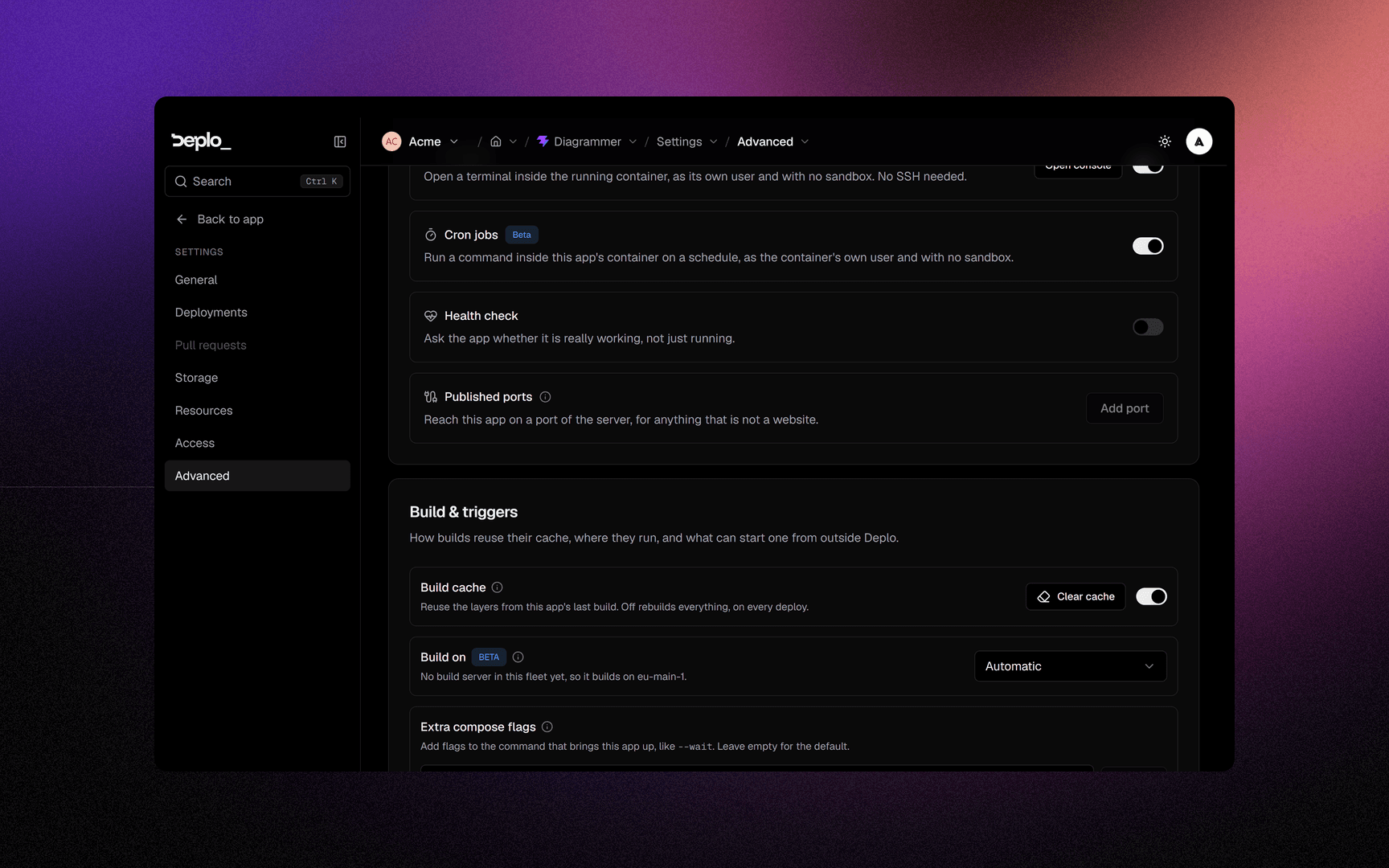
Settings -> Advanced -> Published ports, then Add port. Twenty rows is the ceiling, and the button goes dead there.
Fill in the pair
Prop
Type
Deploy
The ports are written into the app's Compose file, so they bind on the next deploy, like a volume or a resource limit.
Rules
- It needs the publish-ports permission (
canExposePorts), the same one a database's Host port needs. Without it the section is read-only and says so - though removing every port needs no grant, so you are never locked out of undoing one. See Host access. - Ports under 1024 are refused. They belong to the host, and 80 and 443 belong to Deplo's proxy. Publish 8025 and let your DNS or firewall do the rest.
- A host port belongs to one thing on the machine. Deplo refuses a port another single-image
app or database on that server already publishes, even one in another team, because a server is
shared. A compose stack's own
ports:are not in that table and nothing probes the host, so a clash with one of those, or with a process Deplo did not start, surfaces as Docker's own failure at deploy. - Pull request previews never publish. A preview would be fighting production for the same port, so it gets none.
- A Compose app publishes its own. The section is not offered: write
ports:in the Compose file, which needs the same permission.
A published port is open to whatever can reach the server. It carries no certificate, no basic auth and none of the middlewares a domain gets. Put a firewall in front of it, and use a domain whenever the protocol is HTTP.
When not to use one
| You wanted | Do this instead |
|---|---|
| A website or an API reachable from outside | Add a domain. HTTPS is handled for you. |
| One app to reach another | Nothing. Apps in one environment reach each other by name. |
| An app to reach its database | Nothing. The database answers as db-<name>. |
| A game server, a mail server, a raw TCP or UDP protocol | A published port. This is what it is for. |
See also
Did this page help you?