
This page covers every address an app answers on: your own hostnames, certificates, path-based routing and redirects. For one domain with HTTPS, Add a domain is the short version.
A domain is one row: hostname plus path. On every deploy Deplo turns each row into a proxy route with its certificate, middlewares, target container and port.
A path route always wins over a whole-host route, longest path first. This
is what lets example.com/api and example.com/ go to two different apps.
Deplo checks DNS itself, on a schedule and on demand. A hostname is routed only when the check passes.
Add and manage domains
Open the app, then Domains. Add Domain opens the dialog. Add domain
confirms, and Generate creates a free deplo.site hostname. Each row has four
buttons: re-check DNS, Set as primary, edit, and Remove domain.
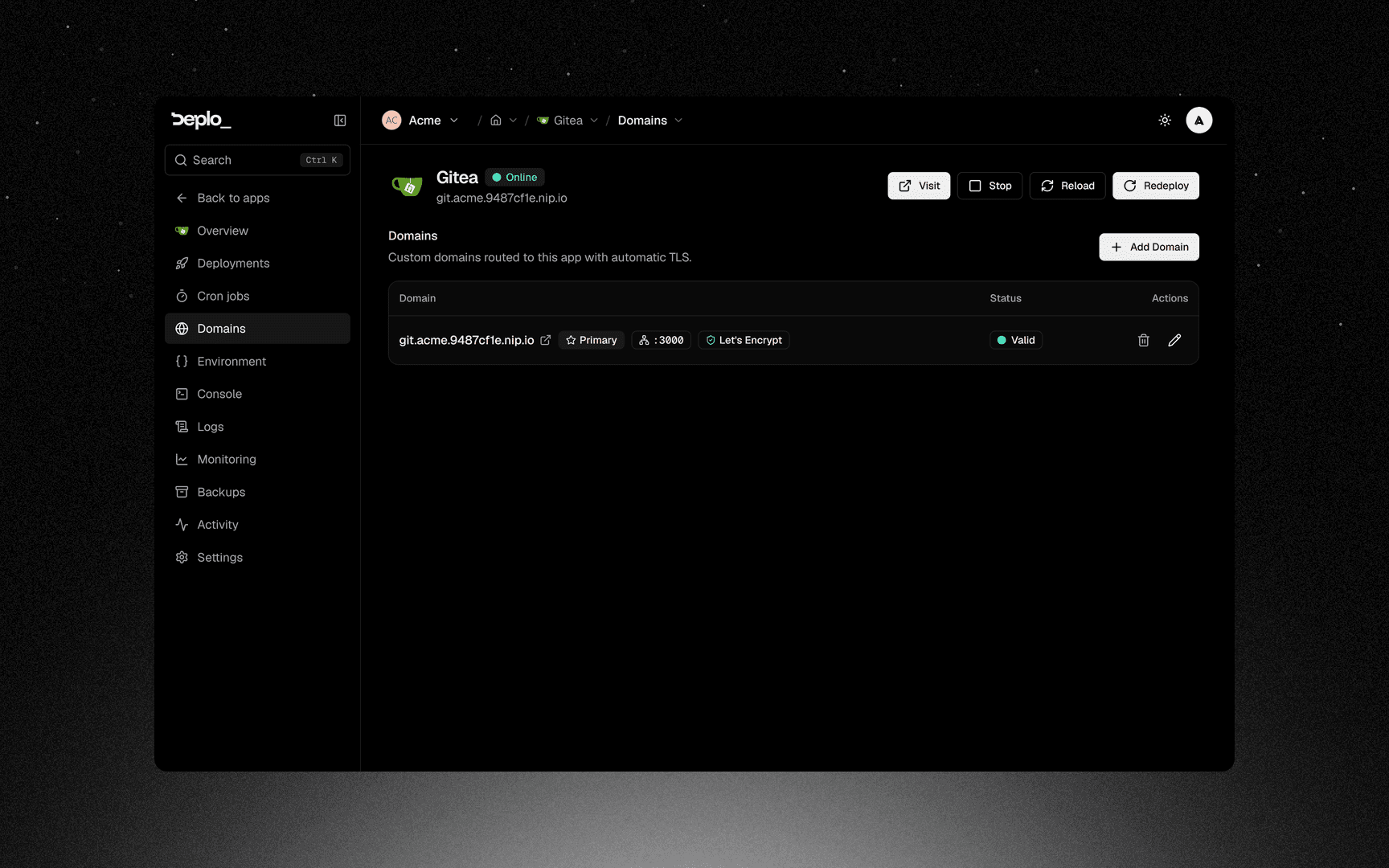
Exactly one domain is primary. It is the URL shown in the app header, in notifications, and everywhere Deplo names the app's address.
DNS states
| State | What it means | Routed |
|---|---|---|
valid | The hostname resolves to this app's server | yes |
cloudflare | Proxied through Cloudflare, so the real origin cannot be checked. The row gets a Cloudflare DNS badge | yes |
pending | No record found yet. The row shows the exact A record to create, and the AAAA when the server has IPv6 | no |
misconfigured | It resolves, but to a different address, or an AAAA record points elsewhere. The row shows the record that is wrong | no |
error | The lookup itself failed | no |
For a CDN or proxy Deplo does not recognise, turn on Behind a proxy under Advanced settings -> Proxy.
IPv6 and AAAA records
- An A record alone is enough. The AAAA record is optional.
- When the server has a public IPv6, the row prints the AAAA to create, for example
app.example.com->2001:db8::10. - An AAAA that points elsewhere makes the domain
misconfigured, even next to a correct A record. Let's Encrypt tries IPv6 first, so the certificate would fail too. - Behind Cloudflare's proxy, the A record is enough. Cloudflare answers visitors over IPv6 on its own. An AAAA alone needs a server with IPv6, or Cloudflare shows error 522.
Certificates
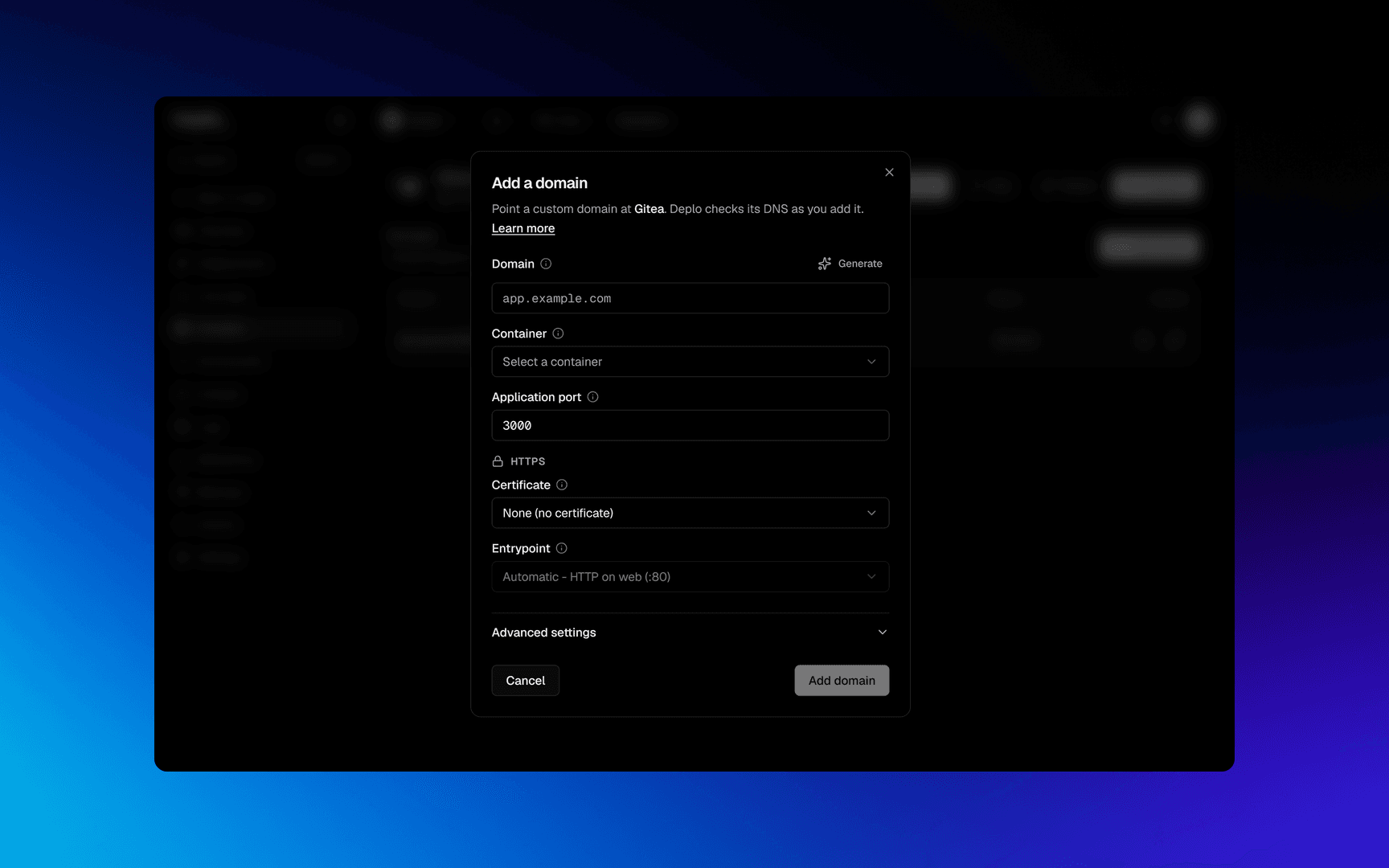
The Certificate field is in the HTTPS group, above Advanced settings. Picking a provider is how a domain gets HTTPS. There is no separate switch.
Prop
Type
Entrypoint, in the same group, follows that choice. Leave it on
Automatic unless you know you need web or websecure.
Cloudflare Flexible mode
Flexible mode uses HTTPS to the browser but plain HTTP to your server. Use Full or Full (strict) with a certificate on this side.
Path routing
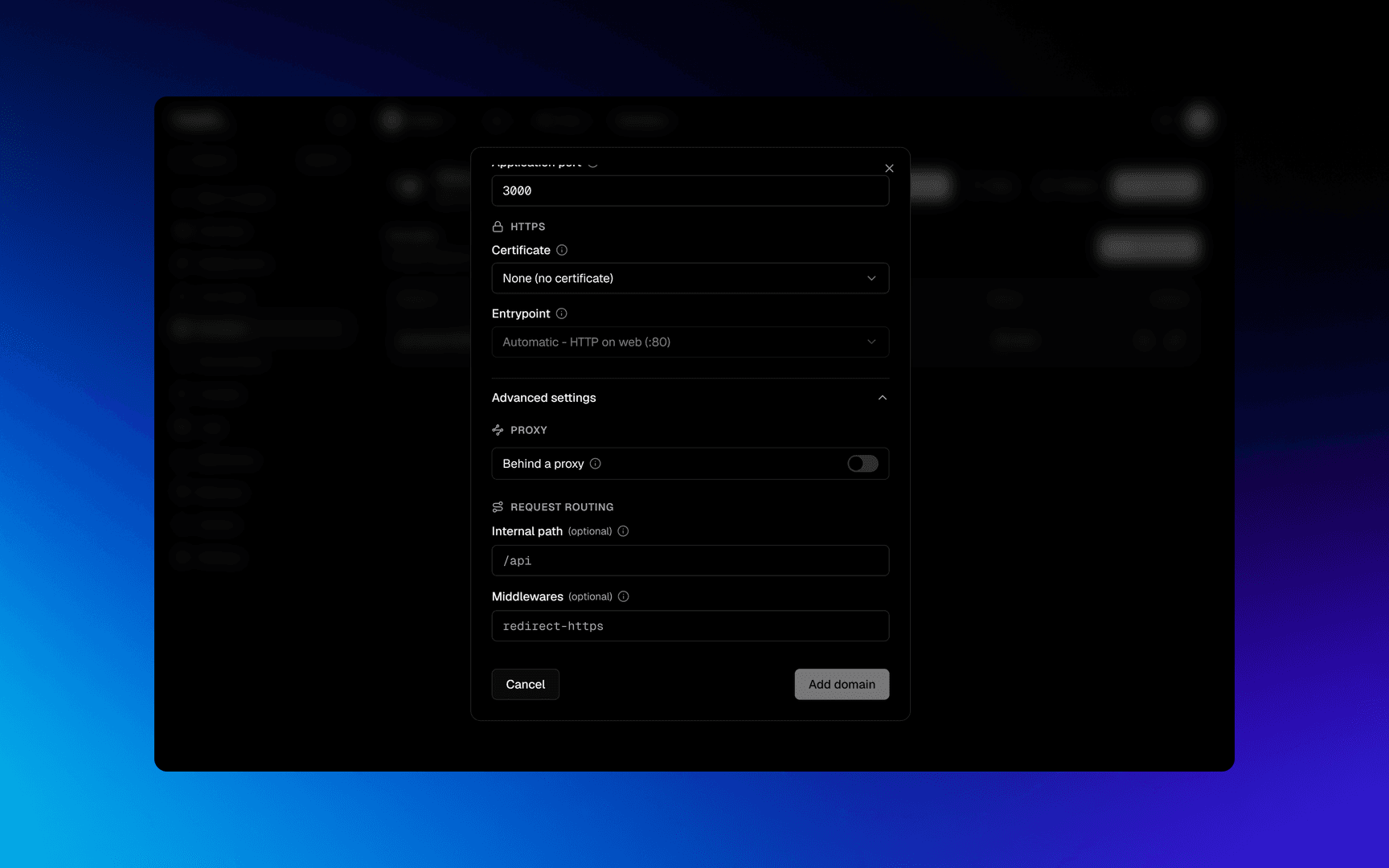
Advanced settings -> Request routing.
Prop
Type
Example, two apps on one domain:
example.com/apigoes to the API app, with internal path/apiand strip path on. The API container receives/usersinstead of/api/users.example.com/goes to the web app, with no internal path.
Redirects
The www redirect field, under Advanced settings, redirects
www.example.com to example.com, or the other way round. It only offers that
pair, and is hidden when the hostname has no www or apex counterpart.
The redirecting hostname is a normal domain row with its own DNS check and its own certificate. The primary flag stays on the hostname that serves the app.
Security headers and CORS
Advanced settings -> Security.
Prop
Type
What Security headers sends:
| Header | Value | What it stops |
|---|---|---|
X-Content-Type-Options | nosniff | The browser guessing a file's type, so an upload cannot run as a script |
X-Frame-Options | SAMEORIGIN | Another site showing yours inside a frame |
Referrer-Policy | strict-origin-when-cross-origin | Full URLs, query string included, leaking to other sites |
- Turn it off when another site embeds yours in a frame, for example a widget or a dashboard shown inside another tool.
- A domain added before the setting existed keeps it off, and so does one that came from a move. Turn it on when you are ready.
- There is no HSTS. It would keep browsers on HTTPS for months, even after the certificate is removed.
Allowed origins, for an API on api.acme.com called by a frontend on app.acme.com:
https://app.acme.com, http://localhost:5173- An origin is a scheme and a host, with an optional port.
https://app.acme.com, neverhttps://app.acme.com/login. - Every method and any request header are allowed,
Authorizationincluded, and the browser caches the answer for 10 minutes. - Cookies are not sent across sites. An app that needs them sets its own CORS headers; leave this blank then.
- Up to 20 origins per domain.
Good to know
- A
deplo.sitehostname can never hold a certificate. - 50 Let's Encrypt domains per team. Open pull request previews with a Let's Encrypt hostname count too. Domains with no certificate do not.
- Port 80 must be open even for an HTTPS-only site. The certificate validation happens there.
- A hostname belongs to one team. Another team cannot add it. The same applies to a preview base domain.
- The same hostname on two paths can belong to two apps in your team.
- Changing a domain applies on the next deploy or a Reload. Use Reload on the app to re-apply routing without rebuilding.
Troubleshooting
| Symptom | What to check |
|---|---|
Stuck on pending | No A record yet. The row shows the exact record to create. |
misconfigured | It resolves somewhere else. An old record, an AAAA pointing at another machine, or a proxy in front. |
| Cloudflare error 522 | Cloudflare cannot reach the server. Often an AAAA record alone on a server without IPv6: add the A record. |
| Certificate warning in the browser | The certificate never issued. Port 80 closed, or DNS pointing elsewhere. |
| 404 from the proxy | Nothing matches the rule: the app is stopped, or the domain belongs to an app on a different server. |
| A redirect loop | Cloudflare Flexible mode plus an HTTPS redirect on this side. Switch Cloudflare to Full. |
More in Domains and TLS.
Next steps
Did this page help you?