
Databases
A managed Postgres, MySQL, MariaDB, MongoDB, Redis or ClickHouse on one of your servers.
A managed database on one of your servers: Postgres, MySQL, MariaDB, MongoDB, Redis or ClickHouse. Deplo creates it, gives you a connection string, and handles backups, logs, metrics and a console.
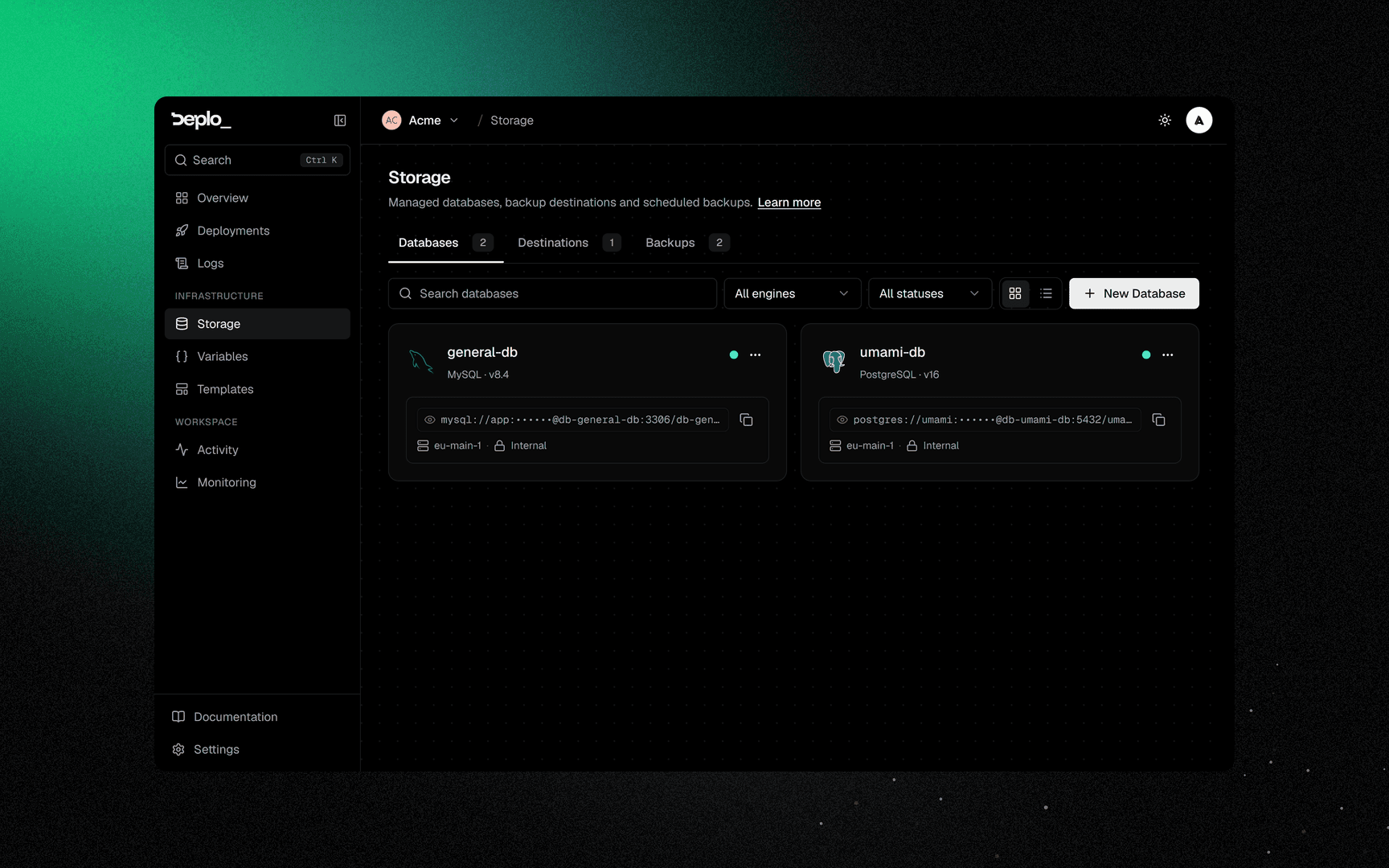
A database is created like an app, on the server you pick, as a stack named db-<slug>. The slug
is generated from the name at creation and never changes. The database joins the network of its
environment, so the apps there reach it by name.
Images are the official ones: postgres:<v>-alpine, mysql:<v>, mariadb:<v>, mongo:<v>,
redis:<v>-alpine and clickhouse/clickhouse-server:<v>.
Credentials are encrypted and masked. Revealing them needs reveal_secrets.
Create one
Open Databases
Open Storage, then the Databases tab.
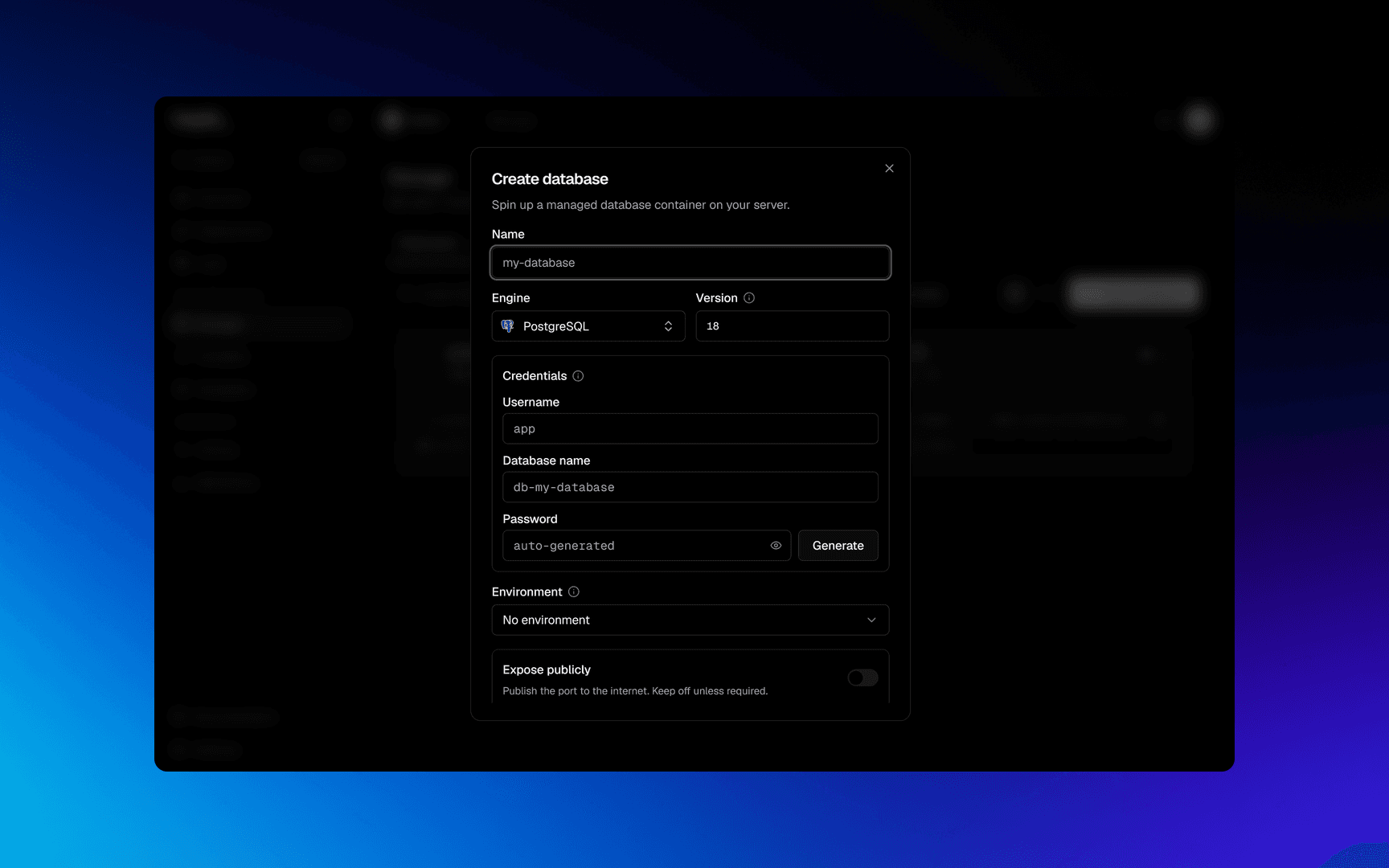
Pick the engine
Pick the engine and the Version.
Name it
Name it.
Set the password
Use Generate unless you need a specific password.
Pick the server
Pick the server.
Pick the environment
Pick the Environment where the apps that will use it live. Leave No environment if your apps are not in a project.
Optional: host port
Set a Host port only if something outside the server needs it. This needs the
canExposePorts grant. You can also turn it on later.
Create it
Click Create database.
Then copy the connection string into the app that needs it, as an environment variable of type Secret.
Connect an app to it
An app reaches a database in the same environment and on the same server by name. No port, firewall rule or IP is needed.
DATABASE_URL = postgres://appuser:••••••@db-orders:5432/ordersSet it in the app's Environment tab as a Secret, then redeploy.
In a Compose app every service reaches it. Exceptions: a service with internal: true, one
using network_mode:, and one named after Deplo's own infrastructure. See
Compose apps.
Same environment, same server
An app in Production does not reach a database in Staging, and no app reaches a database on
another server. The result is cannot resolve host. A database on another server needs a
published port. See Network isolation.
The overview
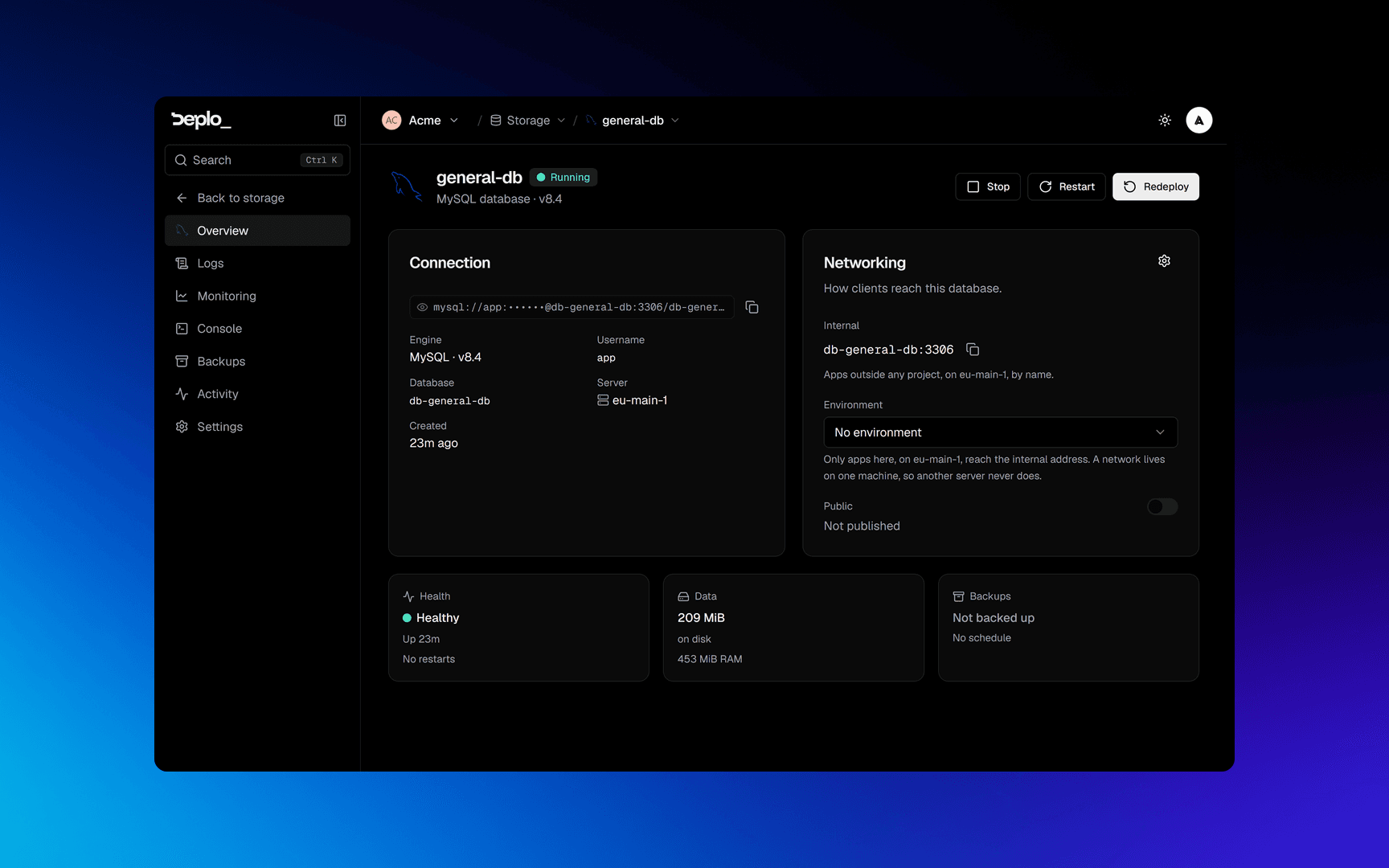
Connection holds the connection string (click to reveal, needs reveal_secrets), the engine
and version, the username, the database name and the server.
Networking holds the Environment and the two addresses:
| Address | What it is | Who uses it |
|---|---|---|
| Internal | db-<slug> on the environment's network, on the engine's port: 5432 for Postgres, 3306 for MySQL and MariaDB, 27017 for MongoDB, 6379 for Redis, 8123 for ClickHouse | Apps in the same environment, on the same server |
| Public | <server>:<host port>, or Not published | Anything that can reach the server |
Wrong environment? Use Move to environment in the card menu of the database list.
The switch on the Public row and the Host port field publish the database. This needs
configure_databases and the canExposePorts grant.
A published port is not encrypted
The engine's port is opened directly, with no proxy and no certificate. The password is the only protection.
The three tiles are Health (healthcheck, uptime, restarts), Data (disk and memory use) and
Backups (last run and schedule). Data shows - when the server's agent is too old.
Actions, and which ones delete data
| Action | What it does | Data |
|---|---|---|
| Start / Stop / Restart | Container lifecycle | kept |
| Redeploy | Recreates the container with the same data | kept |
| Rebuild | Danger Zone. Removes the stack and its volume, then creates a new empty database with the same credentials | erased |
| Delete | Removes the database and its volume | erased |
Rebuild is a factory reset
The connection string keeps working, so everything looks fine and the data is gone. Rebuild needs
delete_databases.
Delete is refused until the host confirms the container and the volume are gone. If the host
is permanently gone, a force option appears.
Settings
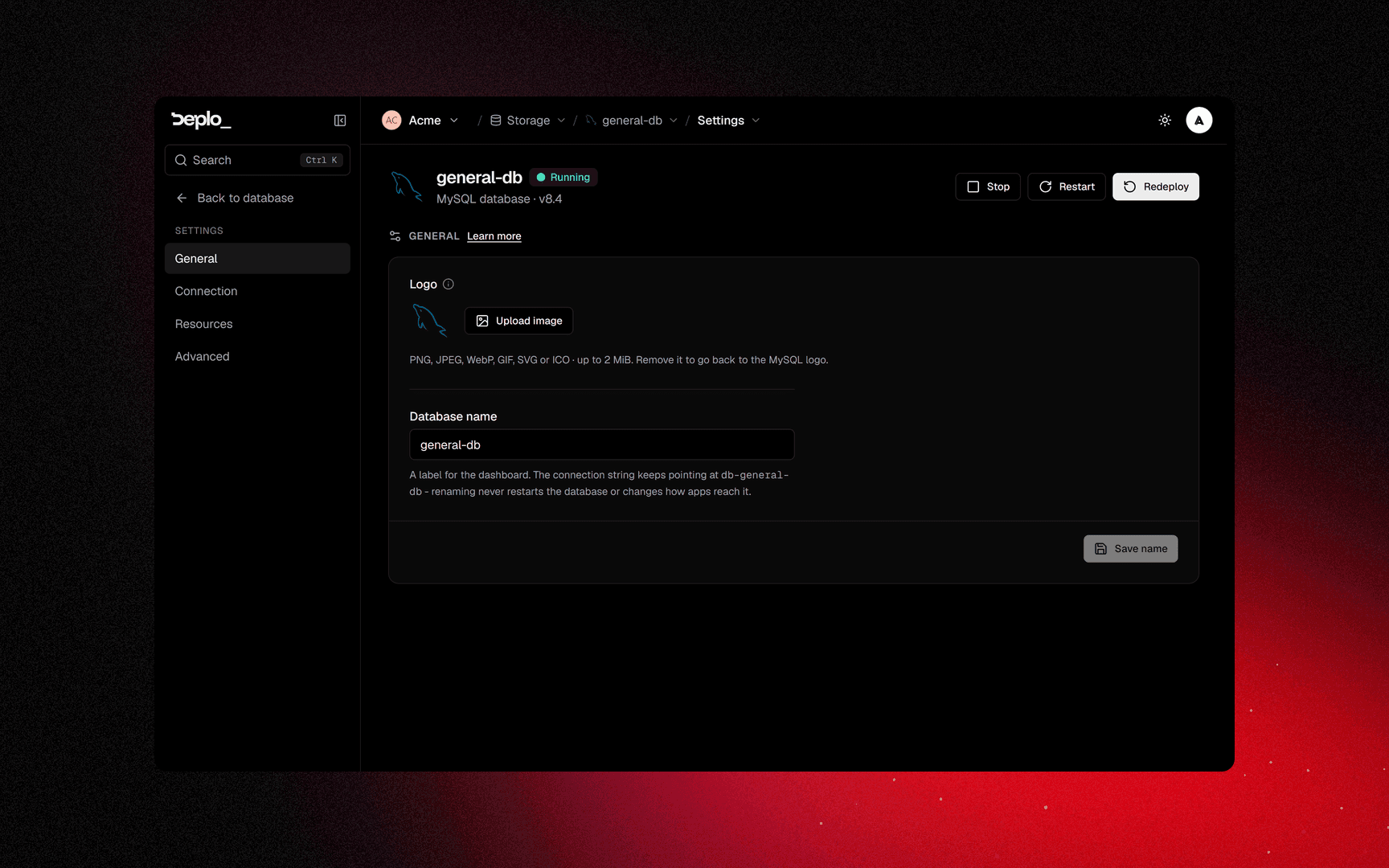
Settings -> Connection has the exposure controls and password rotation.
Prop
Type
For Redis and ClickHouse, rotating the password recreates the container.
Settings -> Advanced
Prop
Type
Redis and --requirepass: the default command contains the password. A custom command
without it removes authentication.
Config files are how you set postgresql.conf, my.cnf, redis.conf or an init script.
Save and apply writes them and restarts the container.
Move a database to another server
Settings -> General, then Move on the Server card. Deplo stops the database, copies the data to the new server, and starts it there. The card appears only when you have more than one server.
If the copy fails, the database is blocked from starting until you fix it. This protects your data from being replaced by an empty database.
Move a database to another team
Settings -> Advanced -> Danger Zone -> Transfer, or Transfer to another team in the card
menu. It needs move_databases in both teams.
The data, the host db-<slug> and the connection string stay the same. It lands at the new
team's top level and restarts once. Backup schedules and cron jobs are removed, and apps of the
old team stop reaching it: the dialog names them.
Everything the move costs ->
The other tabs
Logs, Monitoring and Backups work like for an app. Console opens the engine's own
shell (psql, mysql, redis-cli) after a one-time confirmation. Cron jobs runs scheduled
commands inside the container.
Good to know
- The username and the database name never change. Renaming the database only changes its label.
- Redeploy and Rebuild do not work while the database is provisioning.
- An app's backup schedule does not cover its database. Schedule both.
Host portopens the database to anything that can reach the server.- Capabilities:
control_databasesfor start, stop and restart,configure_databasesfor settings,delete_databasesfor Rebuild and Delete,move_databasesto hand it to another team. - Version upgrades are not migrations. A major Postgres upgrade refuses to start on older data. Dump, rebuild, restore.
Troubleshooting
| Symptom | What to check |
|---|---|
| The app cannot resolve the database name | They are in different Environments, or on different servers. |
| Authentication fails after a rotate | The app still has the old string. Update the variable and redeploy. |
| Stuck in provisioning | The agent could not pull the image, or the server is unreachable. Check the server's health. |
Data reads - | That server's agent is too old. Update it. |
More in Databases and backups.
Next steps
Did this page help you?