
Rollbacks
Go back to a deployment that worked, in seconds from a kept build or in minutes from its commit.
Every build leaves an image on the server. A rollback runs that image again, so it takes seconds
and rebuilds nothing. Once the server no longer keeps that image, an app deployed from a
repository rebuilds the deployment's commit instead. It needs the rollback_apps capability.
- No rebuild for a kept build. No clone, no dependency install, no waiting.
- Only the code goes back. Variables, domains, volumes and resource limits come from your current settings.
- It is a normal deployment. It has its own row, logs and activity entry, marked as a rollback, and it does not use a retention slot.
Roll back
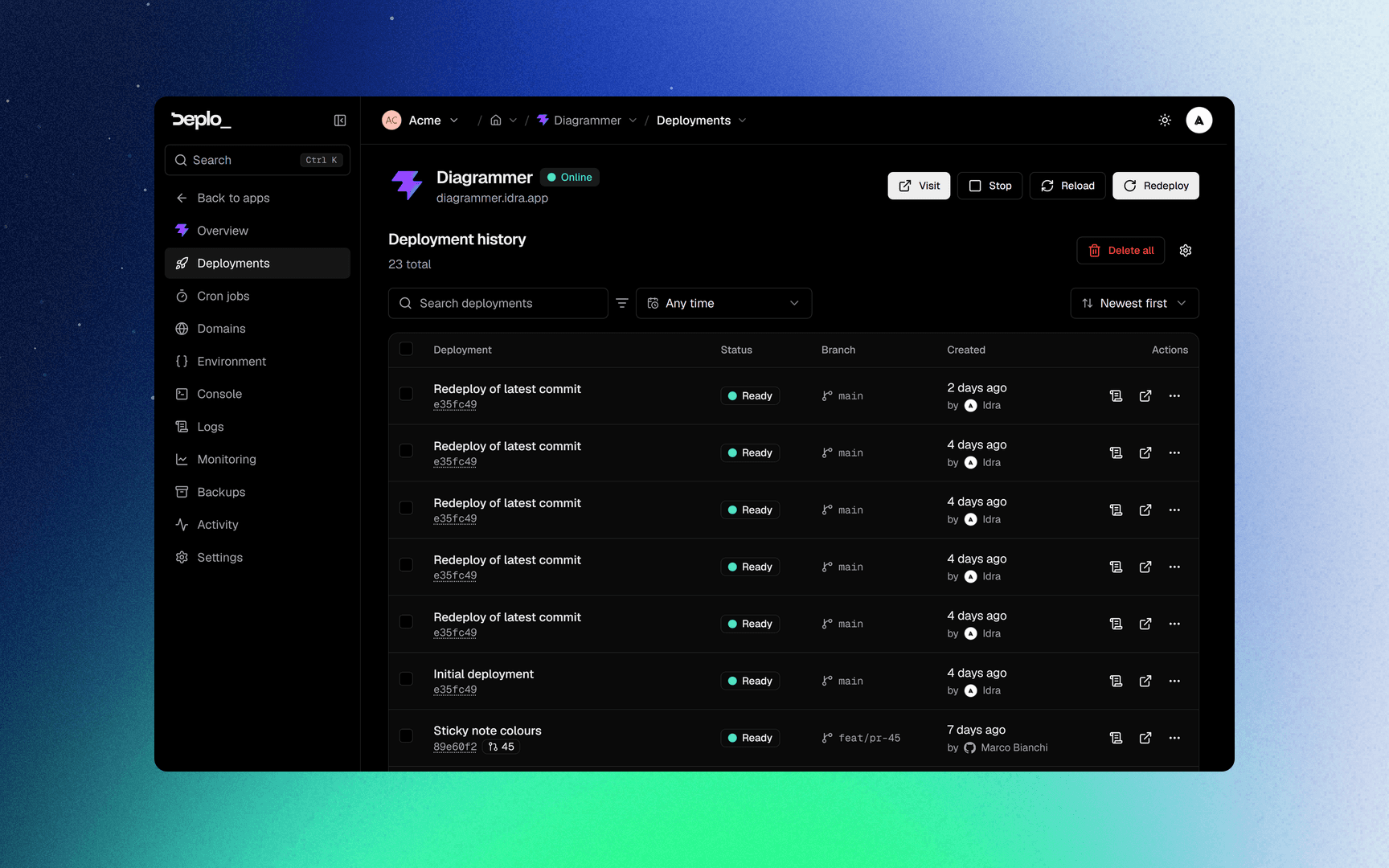
Open Deployments
Open the app, then Deployments. The list shows the commit, the branch and when each ran.
Roll back
Open the deployment's menu and click Rollback, or open the deployment and click Rollback there.
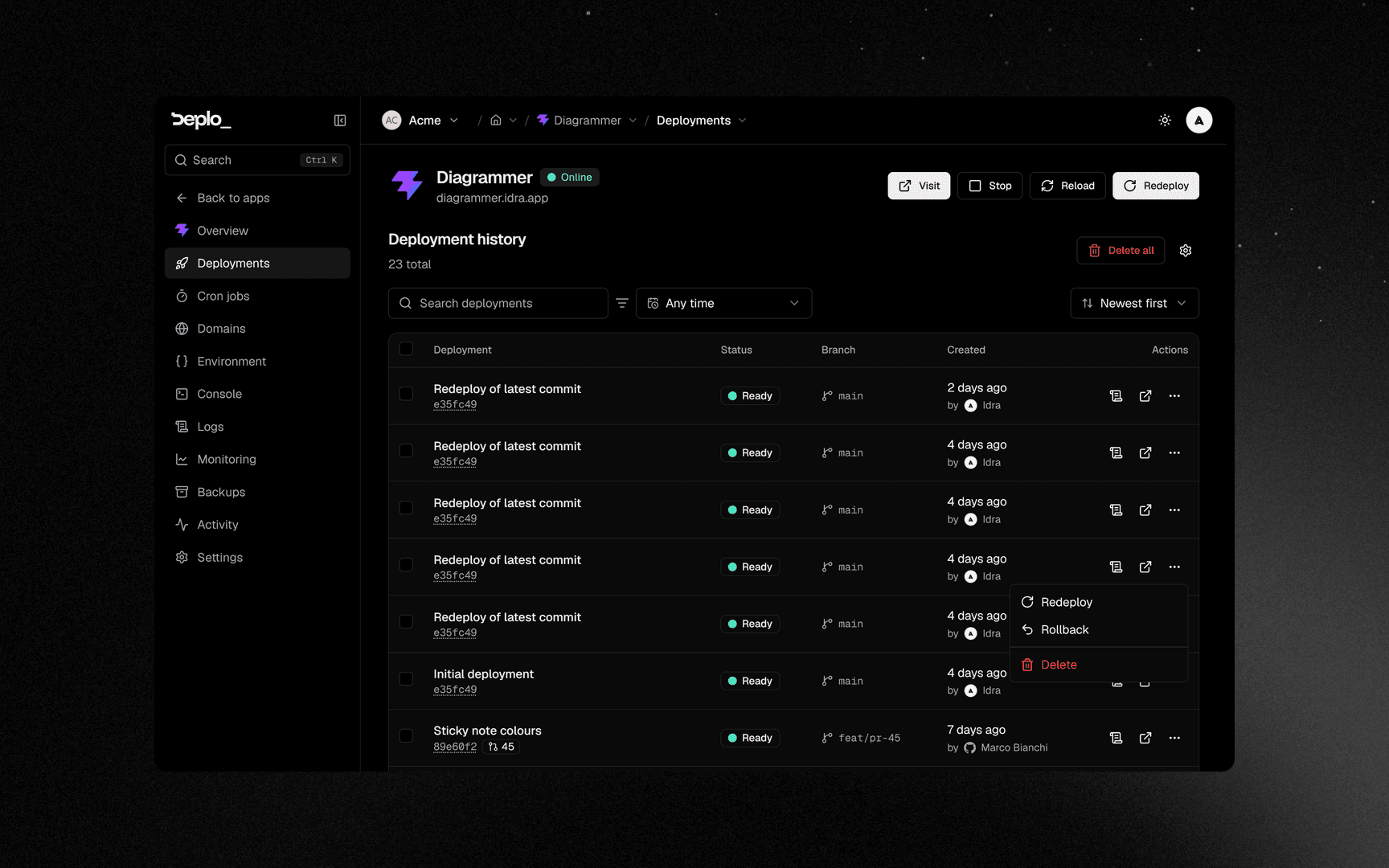
The app serves the older image within seconds.
The app header has a Rollback button too. It goes straight to the deployment before the live one, without opening the list.
When the build is no longer kept
An app deployed from a repository can still go back to an older deployment, or to one that ran on another server:
- Deplo fetches that deployment's commit, for example
4abcdef. - It builds it, as on a normal deploy. This takes a few minutes.
- It releases it. The confirmation says rebuilt first before you start.
The rebuilt deployment keeps its own image, so going back to it again later takes seconds.
An app from an uploaded archive has no commit to rebuild: it can only go back to the builds the server still keeps.
Deplo refuses a rollback when the target belongs to a preview or is itself a rollback. The message says which.
Retention
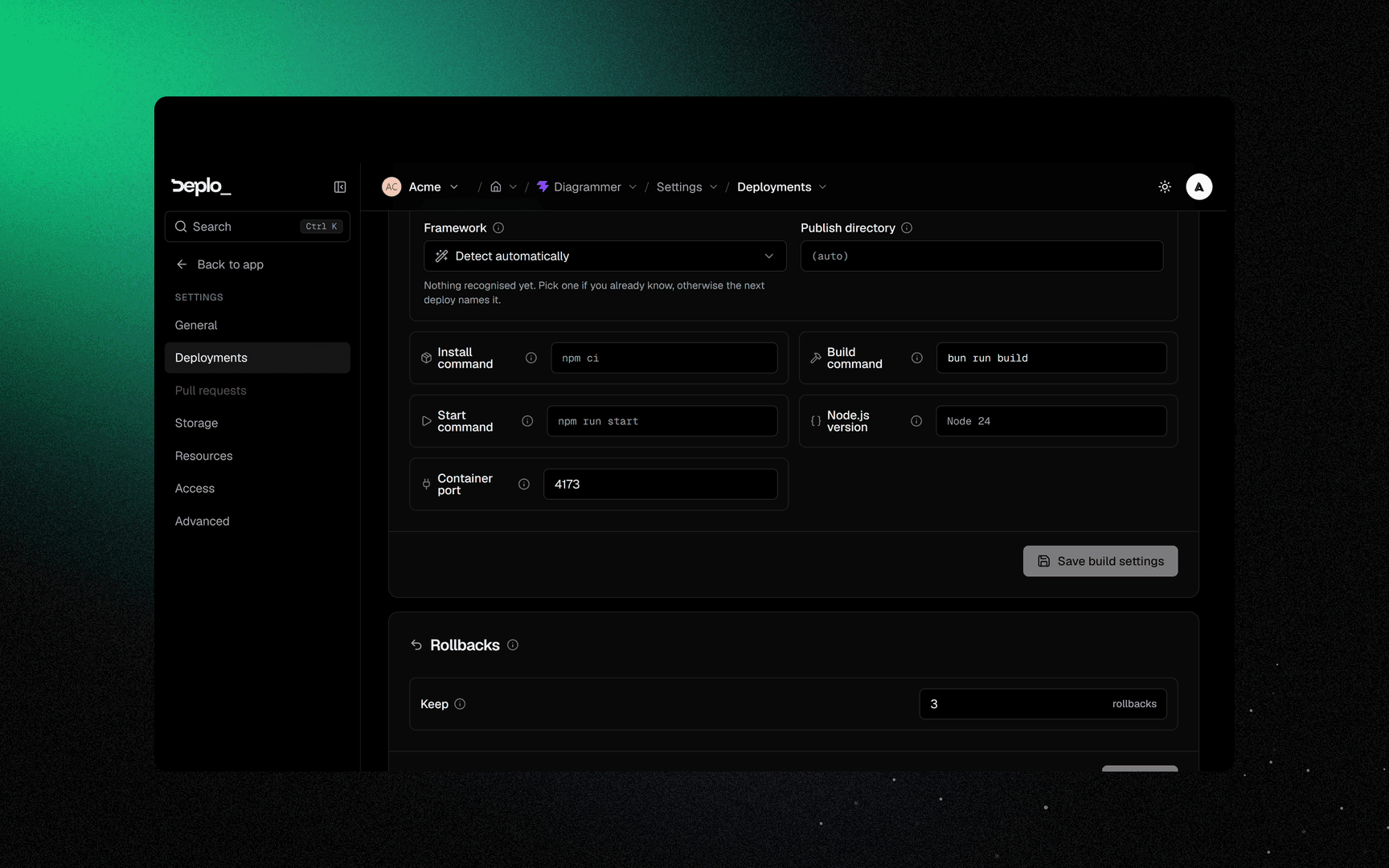
Settings -> Deployments, the Rollbacks card, field Keep.
| Default | 3 |
| Maximum | 20 |
0 | No instant rollbacks. An app from a repository still rolls back by rebuilding |
The server keeps Keep + 1 images per app. Older ones are removed by the server's disk cleanup
after a deploy. Kept images share layers, but they still use disk.
Once an image is removed from the server, an app from a repository rebuilds that deployment's commit instead. An uploaded archive can no longer go back to it, even if its row is still in the list.
Good to know
- Only sources Deplo builds can roll back. A Docker image app and a Compose app do not have the action.
- A rolled-back app still auto-deploys. The next push replaces it. Turn off Deploy on push first if the branch is broken.
- A rebuild uses today's build settings. If you changed the build command or root directory since, the old commit is built with the new ones.
- A rebuild needs a recent server agent. An older one stops the rollback with a message to update it.
- A database migration does not roll back with the code. Your data stays as it is.
- Rolling back does not stop the app. Use Stop for that.
Troubleshooting
| Symptom | What to check |
|---|---|
| The Rollback action is missing | The source is a Docker image or a Compose app, the app is an uploaded archive past Keep, or you do not have rollback_apps. |
| Rollback is refused on a deployment | It is a preview or it is itself a rollback. On an uploaded archive, it also ran on another server. |
| Rollback fails with an image not found | It was removed. Raise Keep, or exclude that server from unused-image cleanup. |
| "too old to rebuild an earlier commit" | Update the server's agent from Settings -> Servers. |
| "commit 4abcdef is no longer in the repository" | A force push or a repository change removed it. Pick another deployment. |
| The bug is still there after the rollback | The bug is in configuration or data, not in the code. |
More in Deploys and builds.
Next steps
Did this page help you?