
Build settings
How your code becomes a container image, which builder runs and which port it uses.
These settings decide how your code becomes a container image: the builder, its commands, and the port the app listens on. Most apps never need to change them. A Docker image or a Compose app has nothing to build, so this page does not apply to them.
The four build methods
Pick one under Build method, on the Build & output card in Settings -> Deployments.
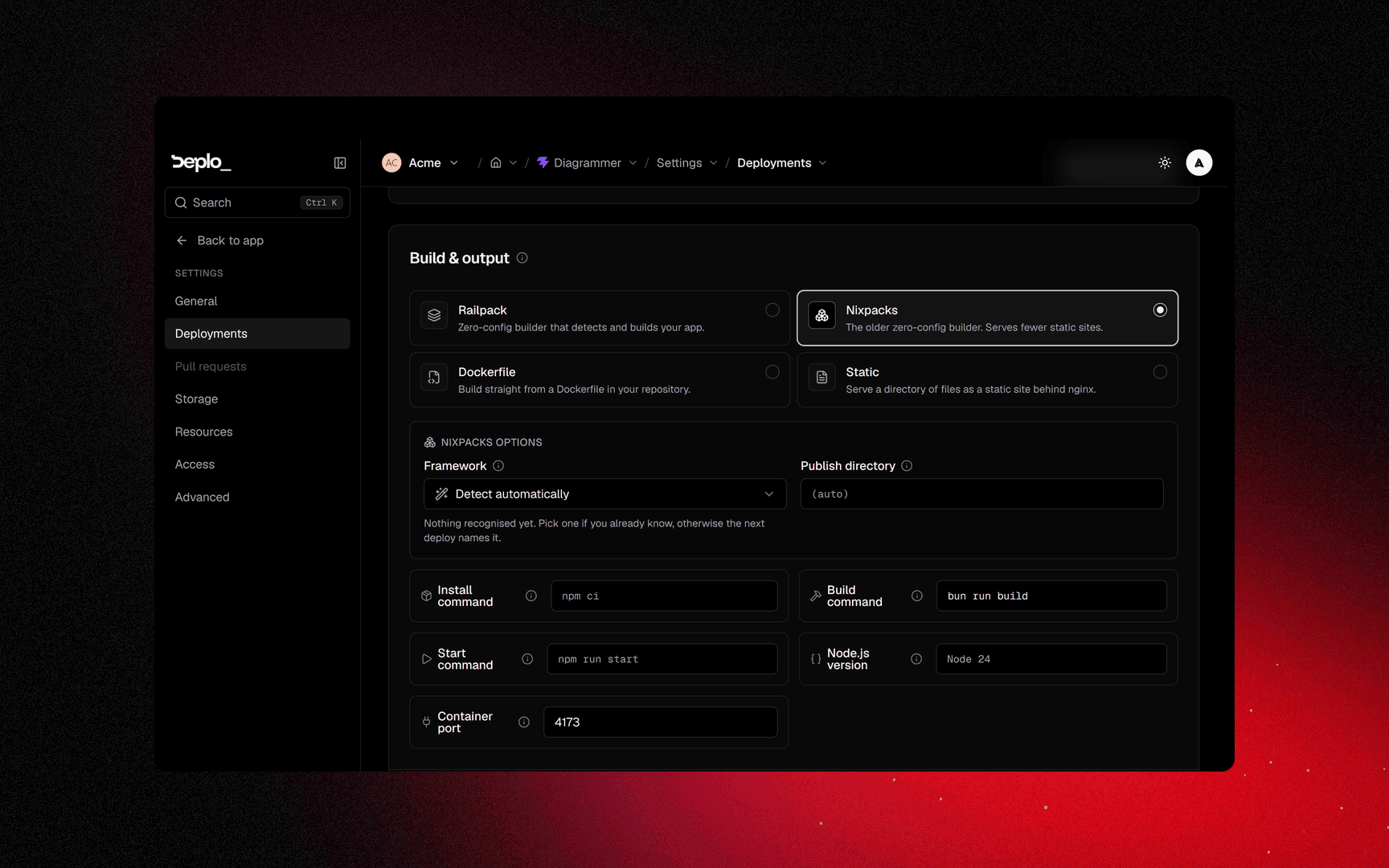
| Method | Use it when | Fields it adds |
|---|---|---|
| Railpack (default) | Normal application code, any common language | Framework, Railpack version |
| Nixpacks | Same job, different builder. Try it if Railpack detects the wrong thing | Framework, Publish directory |
| Dockerfile | You already have a Dockerfile and want it used as is | Dockerfile path, Build context path, Build stage (target) |
| Static | The build produces plain files to serve | Single-page application |
Single-page application sends unknown paths to index.html, which a client-side router
needs. Dockerfile and Static skip framework detection.
Changing the build method does not touch domains, variables or volumes.
Framework detection
For Railpack and Nixpacks, Deplo detects the framework from package.json and the root
configuration on every deploy. Upgrading your framework changes the build with no edits
from you. The Framework select overrides detection: your choice is kept on every redeploy
and sets the framework's default container port.
Detection fills in the build command, the container port, and a deploy command for the few
frameworks that have only one. It never uses your start script, because in most projects
that is the dev server.
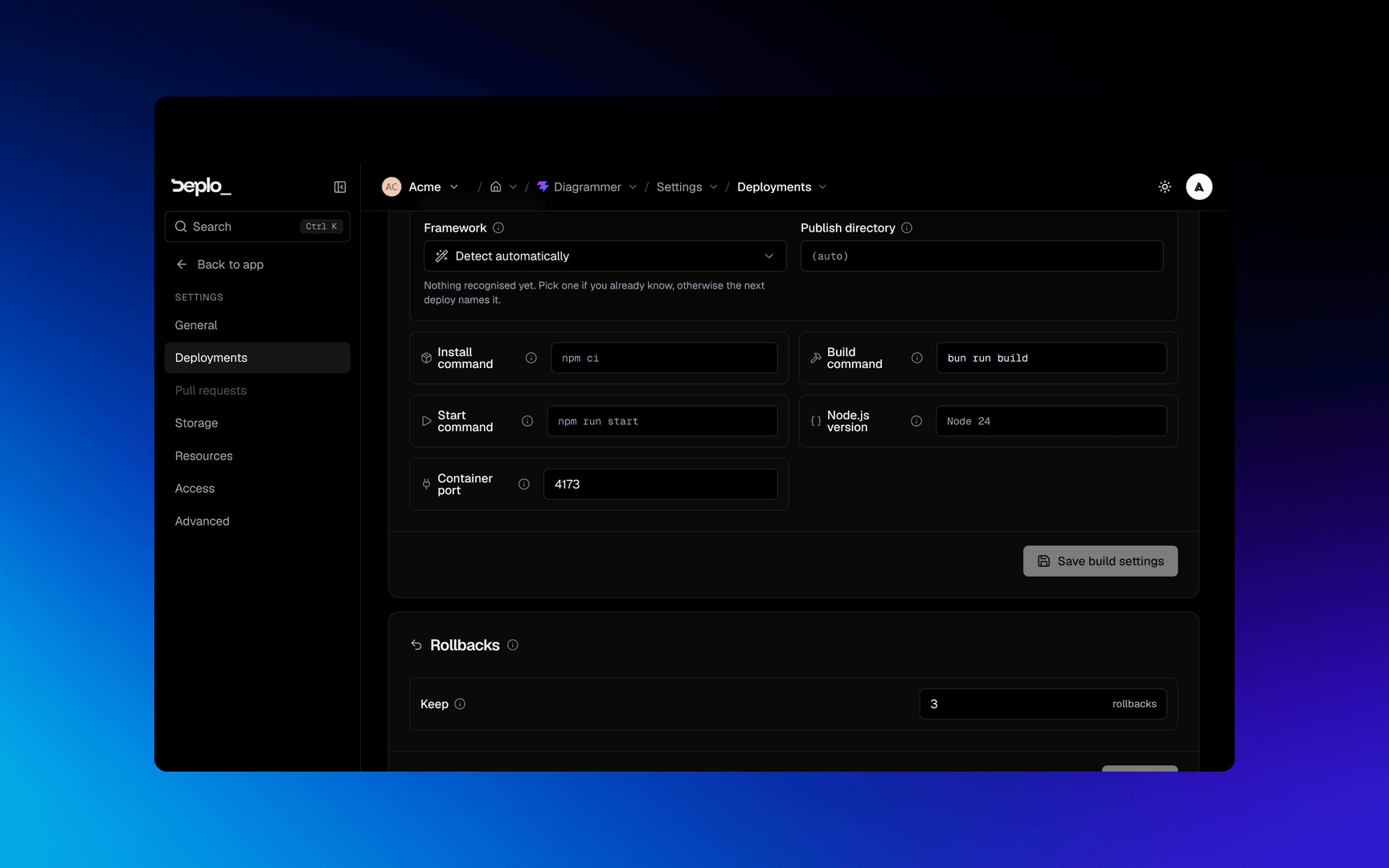
Anything you type wins over detection. Clearing a field gives it back to detection. The grey
text in an empty field is the builder's generic default (npm ci, npm run build,
npm run start, dist), not the detected value. An empty field means "let the builder
decide".
The fields
Prop
Type
Root directory is on the Deploy Source card, inside Additional options. It is the subdirectory to build from in a monorepo.
Click Save build settings. Saving does not deploy: click Redeploy to apply the change.
Check the port
Deplo sends traffic to one port per app, and detection sets a default per framework. The ones that often surprise:
| Framework | Port | Framework | Port | |
|---|---|---|---|---|
| Vite, Preact, Svelte | 4173 | Astro | 4321 | |
| Angular | 4200 | AdonisJS | 3333 | |
| Gatsby | 9000 | Strapi | 1337 | |
| Eleventy, Vue CLI | 8080 | Everything else | 3000 |
If the container starts but the URL times out, the port is almost always the reason. Your
process must also listen on 0.0.0.0, not 127.0.0.1.
A single hostname can override the port for itself. This is how one app serves an API on one domain and a dashboard on another. That setting is in Domains, not here.
Build cache
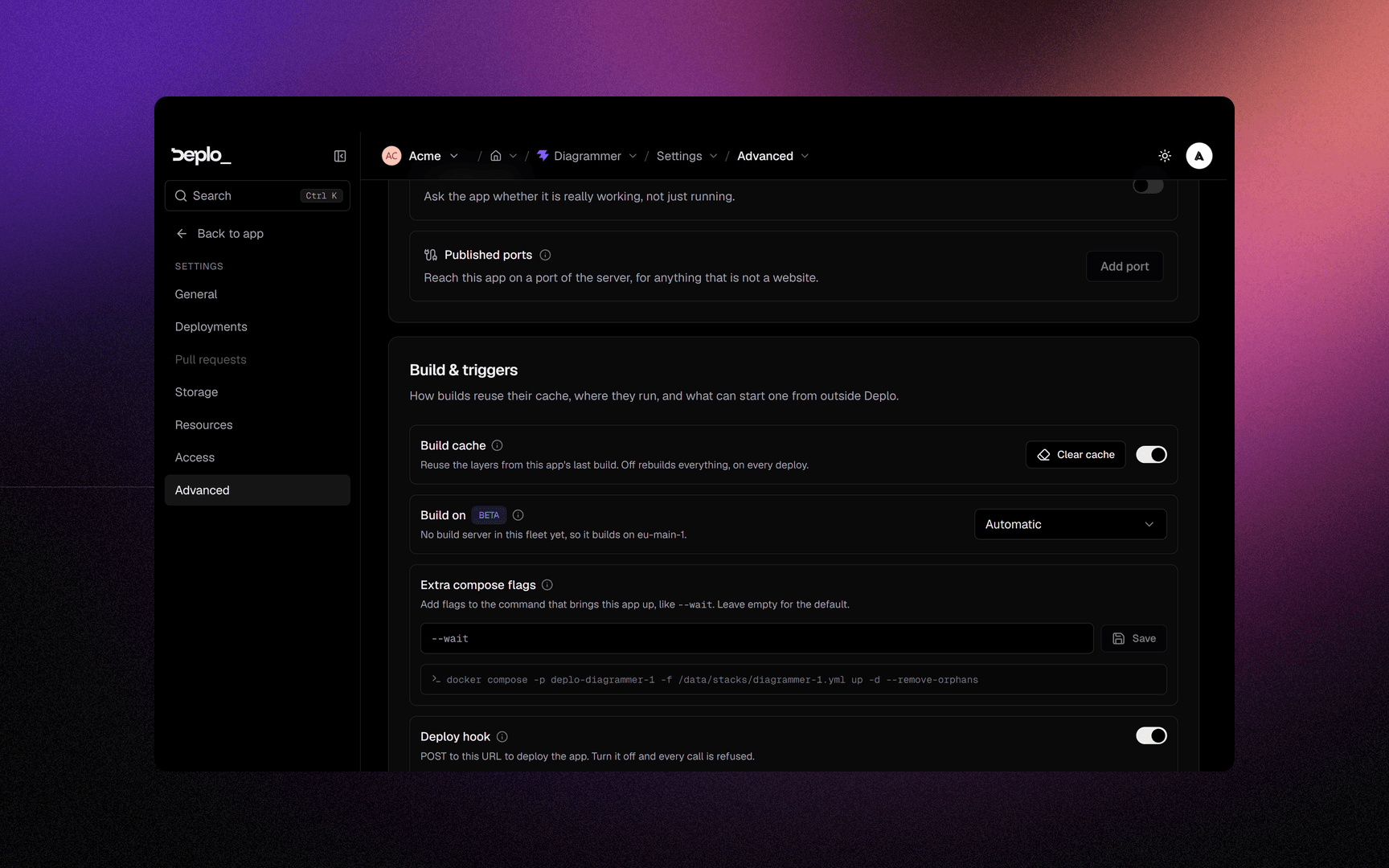
Settings -> Advanced, on the Build & triggers card. Build cache is on by default. The cache lives on the server and is shared by every app on it. This is why the first build is slow and the next ones are not.
The switch turns the cache off for this app only. Clear cache clears it on the next build. It does not free disk: that is the job of disk cleanup.
The same card has Build server (beta: build on another machine), Extra compose flags
(added to docker compose up as typed; flags that change the project name, the stack file or
the env file are refused), and the Deploy hook URL.
If the build server cannot take the job, Deplo uses another build server, then the app's own server.
Troubleshooting
| Symptom | What to check |
|---|---|
command not found during the build | Detection guessed wrong, or a dependency is missing. Set Build command, or pick the Framework by hand. |
| The build passes, the site does not answer | Wrong Container port, or the process listens on 127.0.0.1 instead of 0.0.0.0. |
| The build is slow every time | The cache is off for this app, or a cleanup is removing it. Check Build cache and the server's cleanup settings. |
| A setting saved but nothing changed | Saving is not deploying. Redeploy. |
More in Deploys and builds.
Next steps
Did this page help you?