
API keys, database URLs, feature flags, NODE_ENV. Deplo stores them encrypted, injects them at
build time and at run time, and never shows a secret back.
The four layers
When the same name is defined in more than one layer, the highest layer wins:
- Instance-wide variables, set by an instance admin for every team and app.
- The app's own variables.
- A shared variable linked to the app.
- A preview override, on previews only.
Plain and secret
Stored and shown back to you. Can be edited, and can be changed to secret at any time.
A plain variable can become secret. The other direction is not allowed.
Deplo warns when a name looks like a credential. A plain PAYLOAD_SECRET, S3_ACCESS_KEY_ID
or DB_PASSWORD gets a Secret? badge. It is only a suggestion. Names containing PUBLIC,
FILE or VERSION are not flagged.
Build time and run time get the same variables. So NEXT_PUBLIC_* or VITE_* work with no
extra setting. Docker keeps build arguments in the image history, so anyone with Docker access to
the build server can read them.
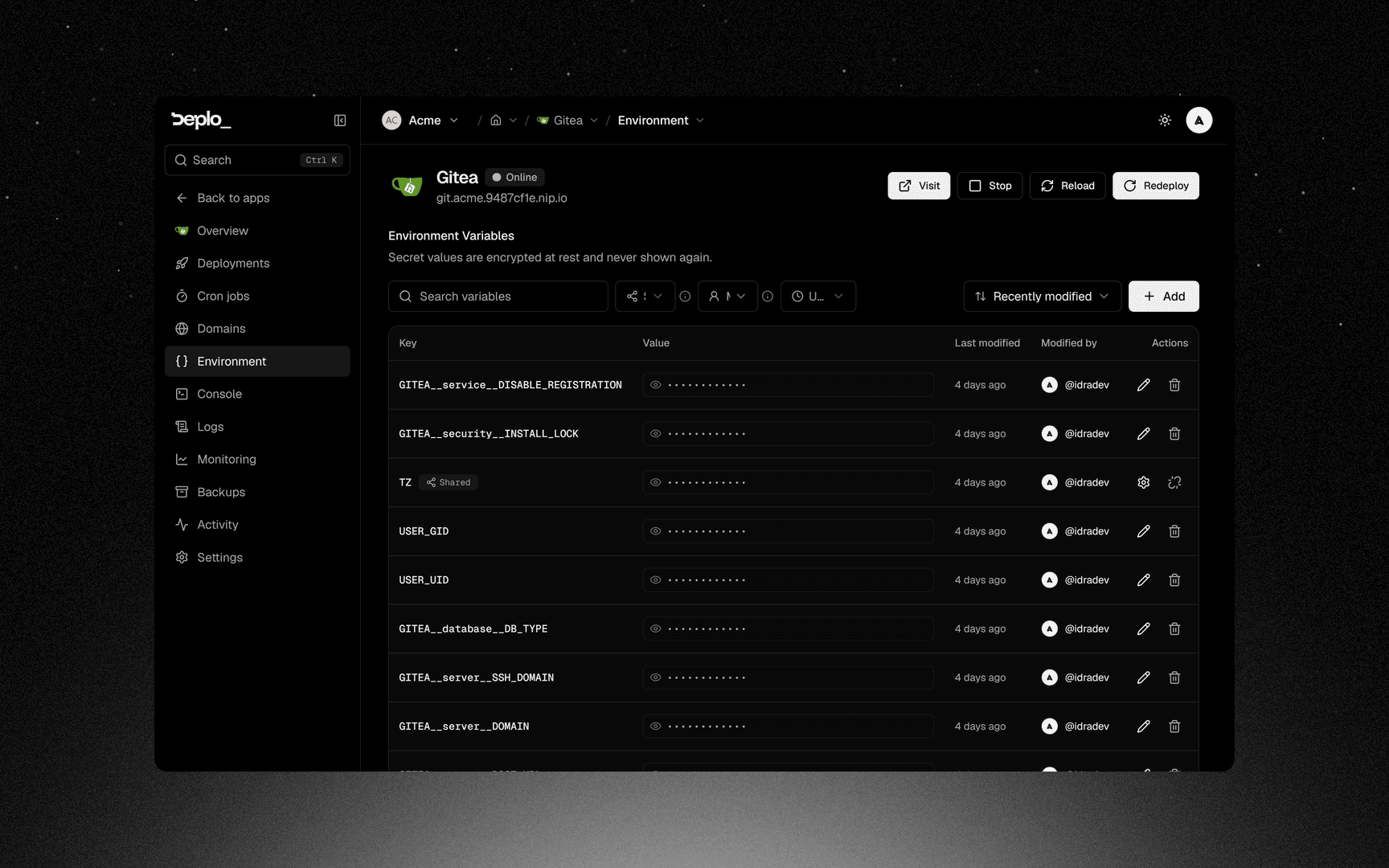
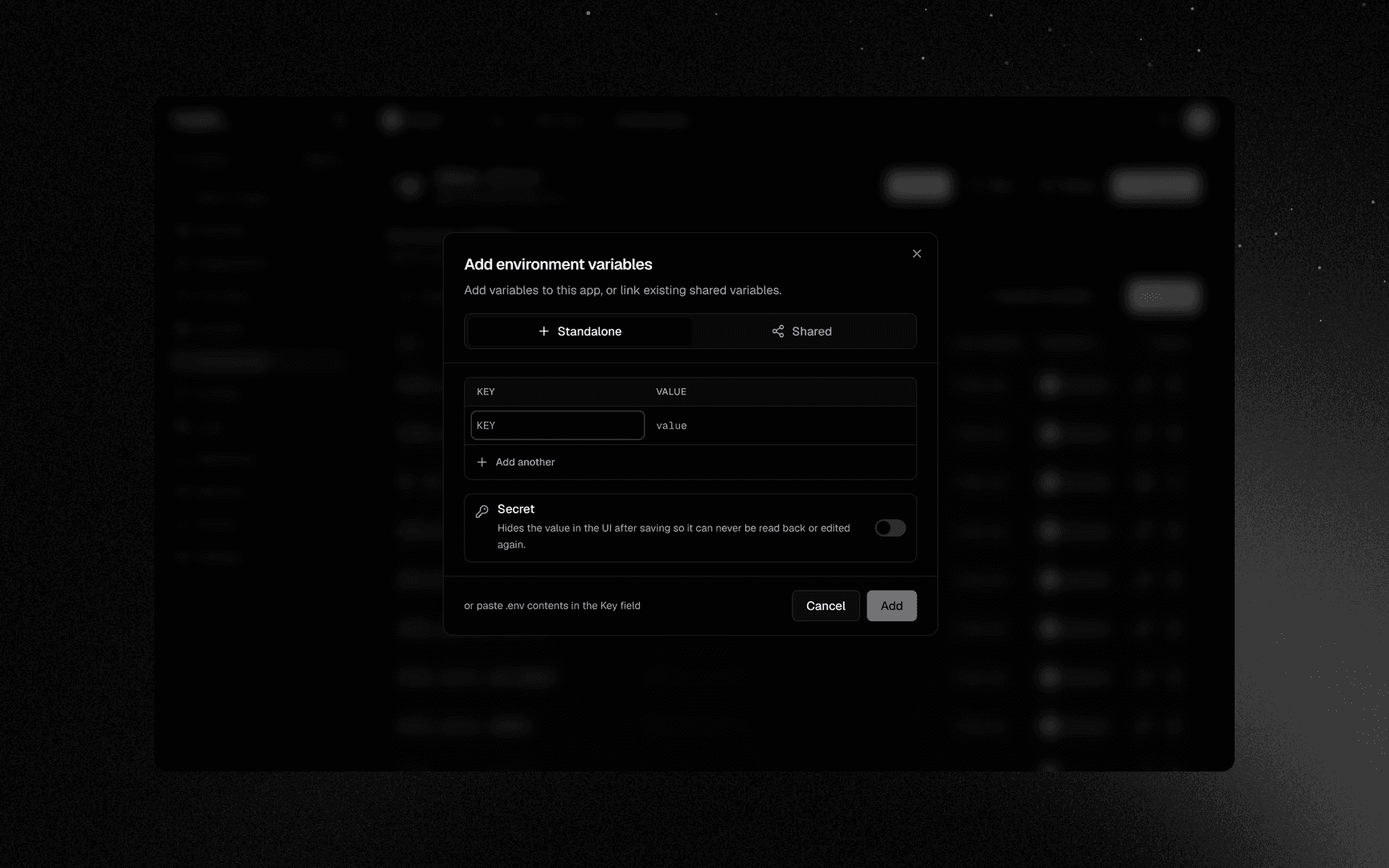
Set variables on one app
Save and redeploy
Save, then Redeploy. Variables apply on the next deploy.
To import a whole .env file, paste it into the add dialog. Each row shows who created it and who
last changed it.
See everything at once
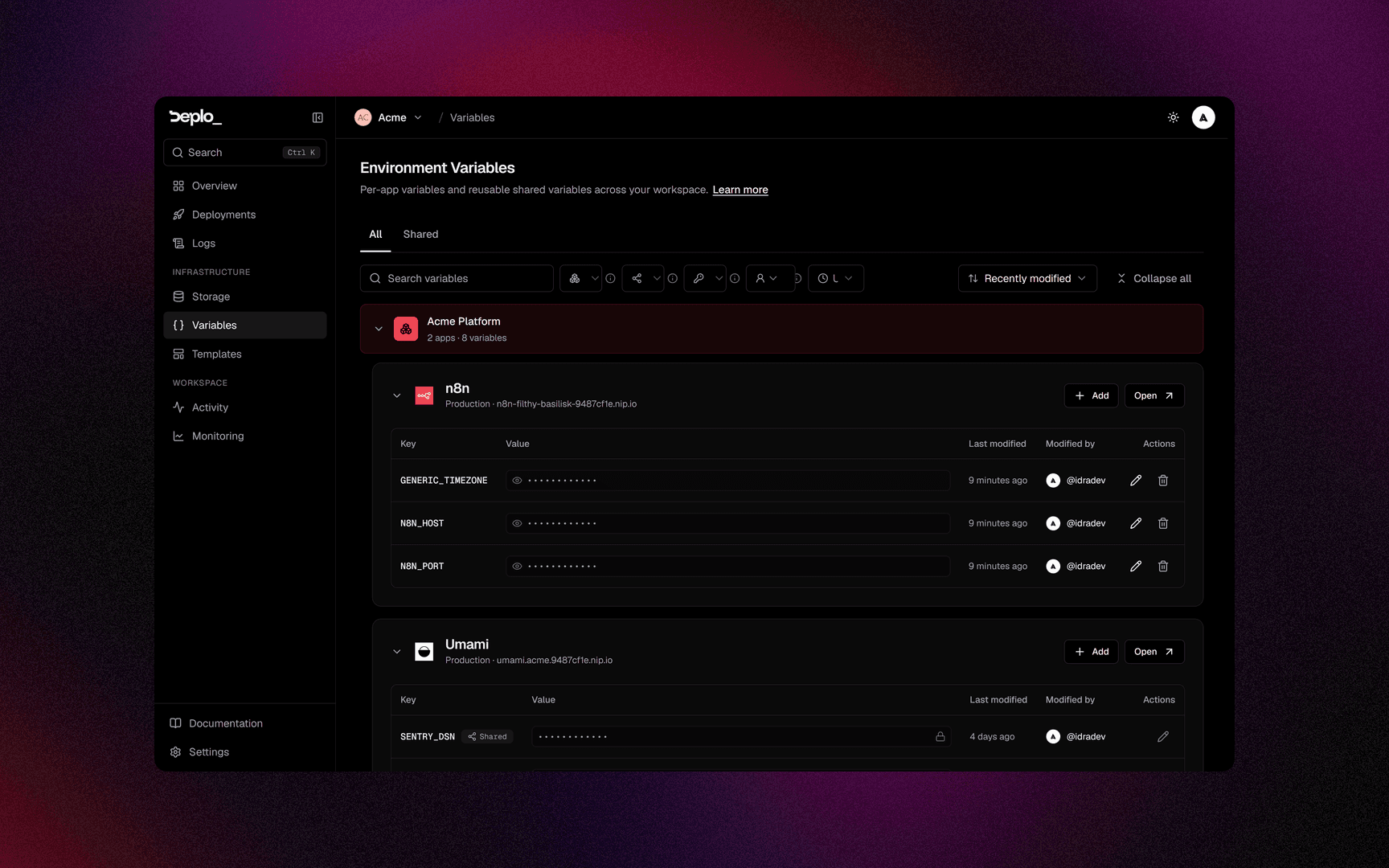
The Variables page in the sidebar has two tabs:
- All lists every app's variables, grouped by app, with search and filters.
- Shared lists the team's shared variables, plus the ones other teams share with it.
Preview overrides
Once pull request previews are enabled, the app's Environment page gets a Preview overrides section. A variable set there is used in previews only, and wins over every other layer. Typical use: point previews at a test database.
A preview built from a fork inherits nothing
For security reasons, a fork preview gets only the plain preview overrides, never a secret. If
your app needs DATABASE_URL to start, set it there as plain.
Good to know
- Nothing applies until the next deploy.
- A secret cannot be edited, only replaced.
reveal_secretsdoes not reveal secret variables. It unmasks basic-auth passwords, backup recovery keys, database connection strings and deploy hook URLs. Nothing unmasks a secret variable.- Names are not checked. A typo becomes a missing variable at run time.
- A shared variable's scope does not inject it. Only the per-app link does. See Shared variables.
- Compose apps get the variables in every service.
Troubleshooting
| Symptom | What to check |
|---|---|
| The app cannot see a variable | It was added after the last deploy. Redeploy. |
| The value is right in Deplo and wrong in the app | A higher layer defines the same name. Check the app's own variables, then its linked shared variables. |
| A build-time variable is empty in the browser bundle | The framework only inlines prefixed names (NEXT_PUBLIC_, VITE_). |
| A fork preview starts with no configuration | Expected. Set what it needs as a preview override. |
More in Deploys and builds.
Next steps
Did this page help you?