
One variable that several apps use: an API key, an S3 bucket name, a SENTRY_DSN. Change it once
and every app that uses it gets the new value on its next deploy.
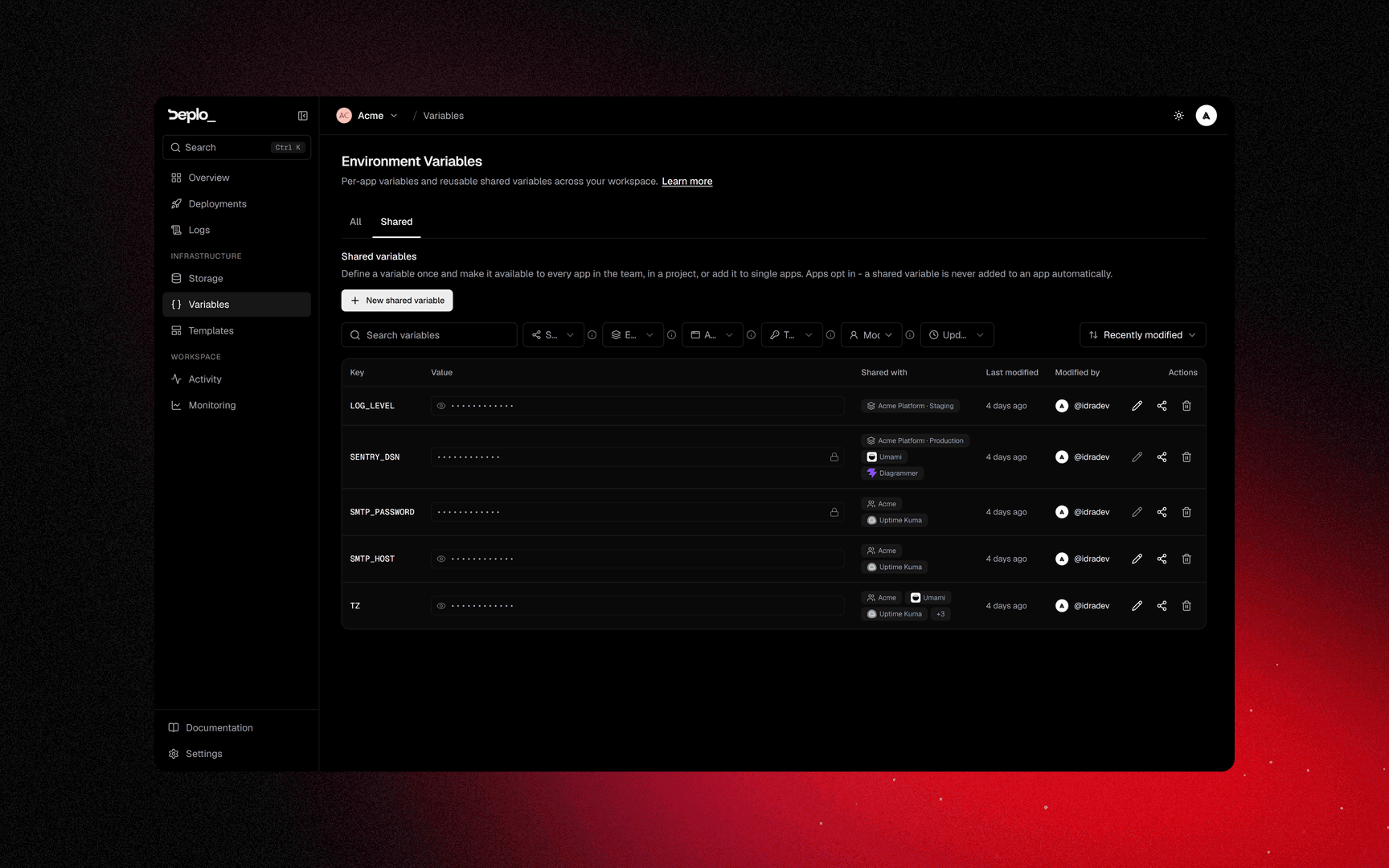
A shared variable has two separate parts: who it is offered to, and which apps link it.
Who it is offered to
Availability scopes say which apps can see the variable:
| Scope | Offered to |
|---|---|
| Teams | Every app in each team you tick |
| Projects | Every app in the chosen projects, or only in the environments you pick |
| Specific apps | Exactly the apps you pick. The only scope that links right away |
Two variables can have the same name if they are offered to different apps, for example one
DATABASE_URL per project.
Only the per-app link injects the variable. Until an app links it, the value reaches nothing.
At deploy time a linked shared variable wins over the app's own variable with the same name, and loses to a preview override.
Shared with two teams or more
Ticking a second team changes the behaviour:
- The variable is added to every app in every ticked team. No link needed.
- It has the lowest priority, so an app's own value still wins.
Use this for things like a company proxy or an internal registry mirror. The review step tells you which kind you are creating.
You can only tick a team where you hold Manage environment variables on the whole team. Unticking teams until one is left turns the automatic add off. Deleting a team does not.
A variable another team shares with you
It shows in your Shared tab with the owner team's name and no edit buttons. You can link it to your apps, but not change it. On an app's Environment tab the only action is Remove from this app.
If the owner stops sharing it with your team, your links to it are removed.
Create one
From the Variables page
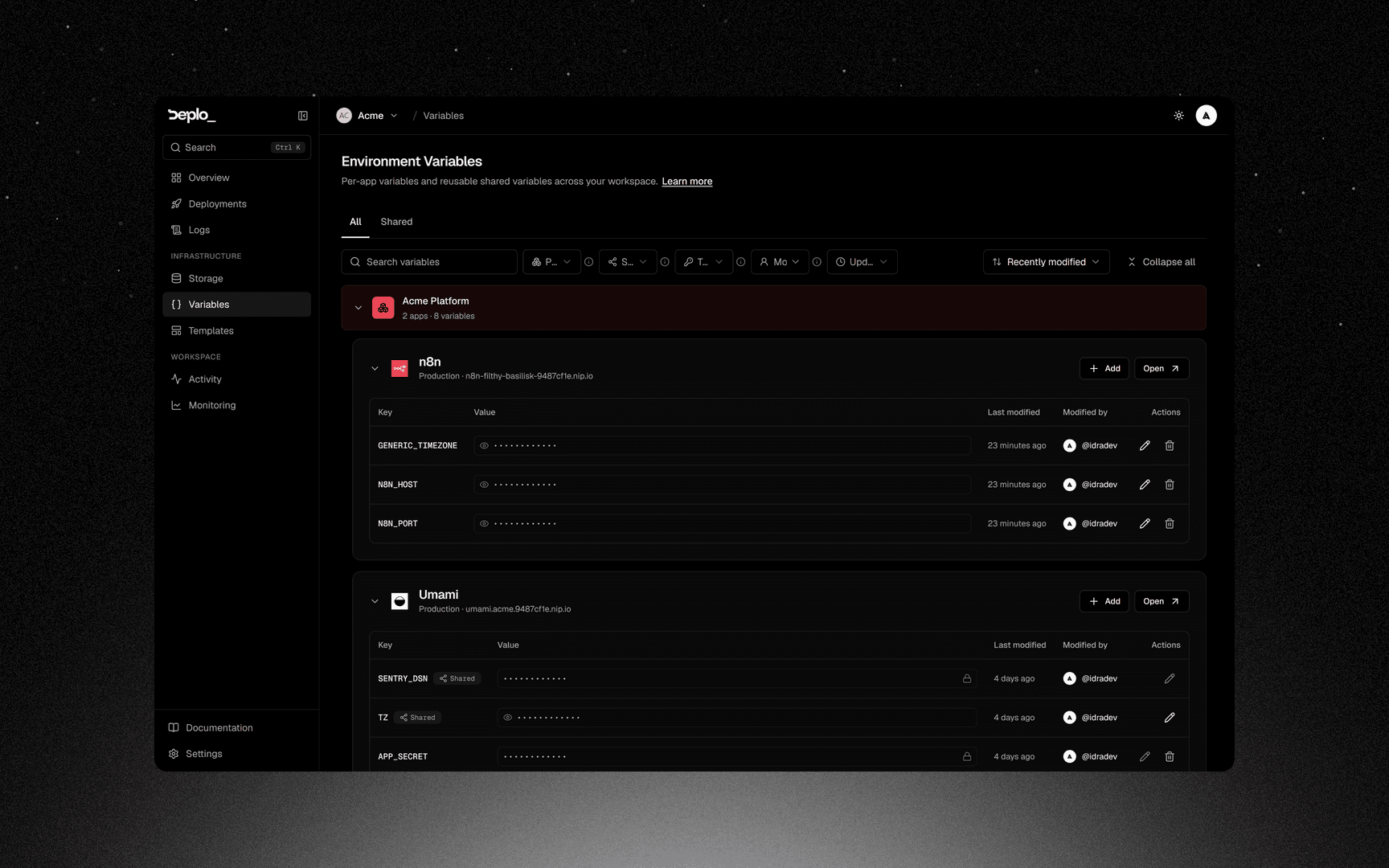
Fill the table
A name and a value per row. Add another adds rows. Pasting a whole .env into a name field
splits it into rows.
The Secret switch applies to the whole table.
Set availability
Choose at least one scope, or pick specific apps. The choice applies to every row.
Review and create
The last step shows what will be created and how many apps it reaches.
From an app
Open the app's variables
Open the app, then Environment, then Add.
Go to Shared
On the Shared tab, click New shared variable.
Fill it in
Same table. The variable is linked to this app as soon as it is created. You can also offer it to teams or projects.
Creating a shared variable needs Manage environment variables on the whole team. Without it the button is not shown.
Use one in an app
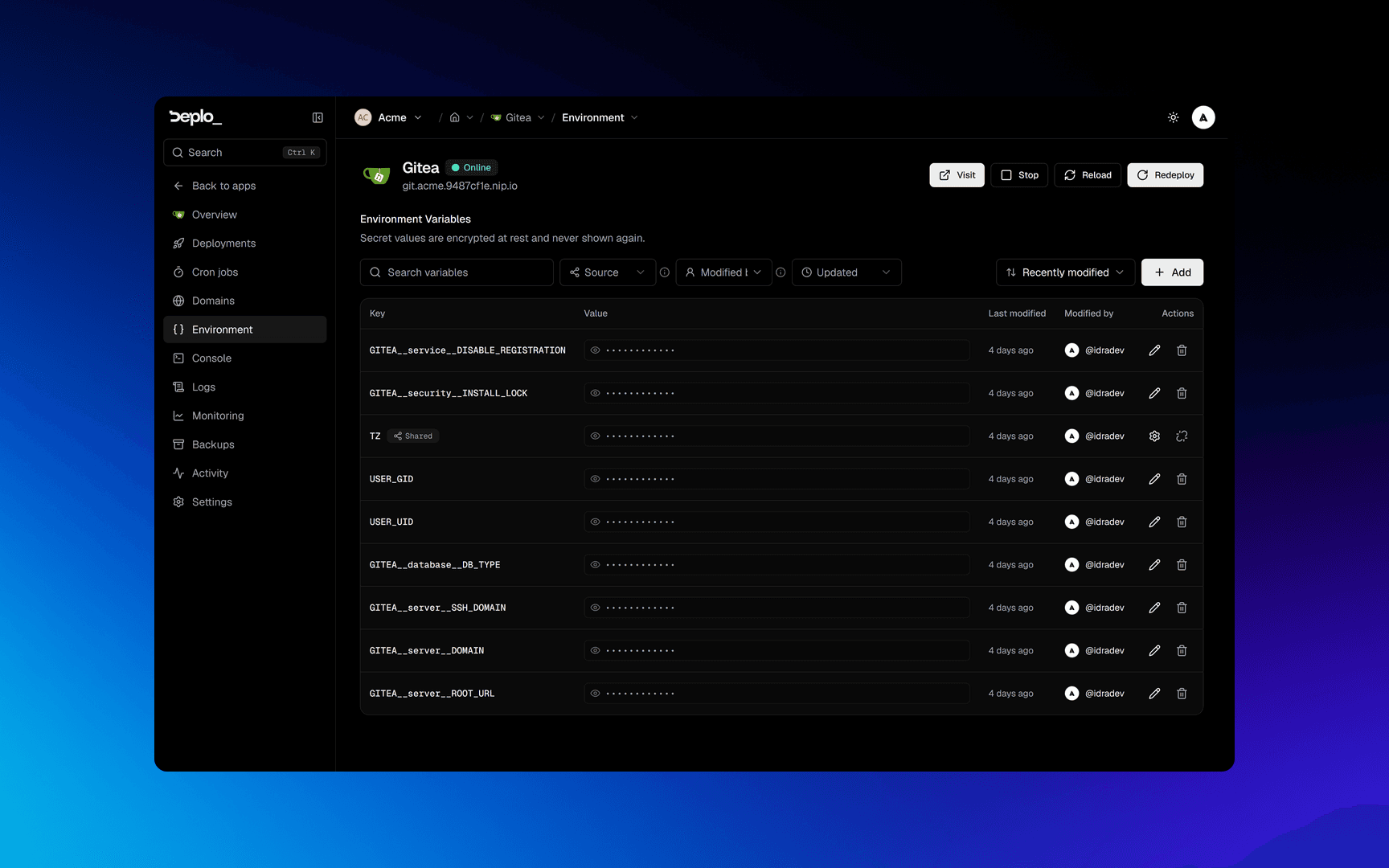
Open Environment
Open the app, then Environment.
Redeploy
Redeploy.
A linked row has two actions:
- Manage opens the variable on Variables -> Shared.
- Remove from this app removes the link here. Other apps keep the variable.
To delete the variable itself, use the Shared tab. A variable shared with more than one team keeps arriving after Remove from this app, at the lowest priority.
Good to know
- Scope is not injection. The link is the only way in, unless the variable is shared with more than one team.
- A linked shared variable wins over the app's own variable. If an app needs its own value, unlink the shared one.
- The variable belongs to the team that created it. Deleting that team deletes the variable everywhere.
- Deleting a variable affects every linked app on its next deploy.
- A fork preview receives no shared value.
- The compose file wins. A key set in the compose file keeps the compose value. Those rows are marked Set in the compose file.
- If everything it was offered to is deleted, the variable stays and reads Not shared with anything until you give it a new audience.
Troubleshooting
| Symptom | What to check |
|---|---|
| The app does not see the value | It is offered but not linked. Link it on the app's Environment tab. |
| The value changed and the app still has the old one | It applies on the next deploy. Redeploy. |
| A different value than expected | The app defines the same name itself, a preview override does, or the compose file sets that key. |
More in Deploys and builds.
Next steps
Did this page help you?