
Account security
Your password, two-factor authentication, passkeys and the devices you are signed in on.
Everything is in Settings -> Security, which is personal and not tied to a team. Two tabs:
- Sign-in - your password, two-factor authentication and passkeys. Account protection at the top shows what is set up and what to do next.
- Devices - where you are signed in right now.
You can sign in with your email or your username, in the same field.
Every password is checked against the Have I Been Pwned breach list. Only a small part of the password hash leaves the instance, never the password. If the check cannot run, the password is still accepted. A password generated by Deplo is not checked, because it is random.
The password rules: 8 to 200 characters, with at least one digit, one lowercase letter, one uppercase letter and one other character.
Change your password
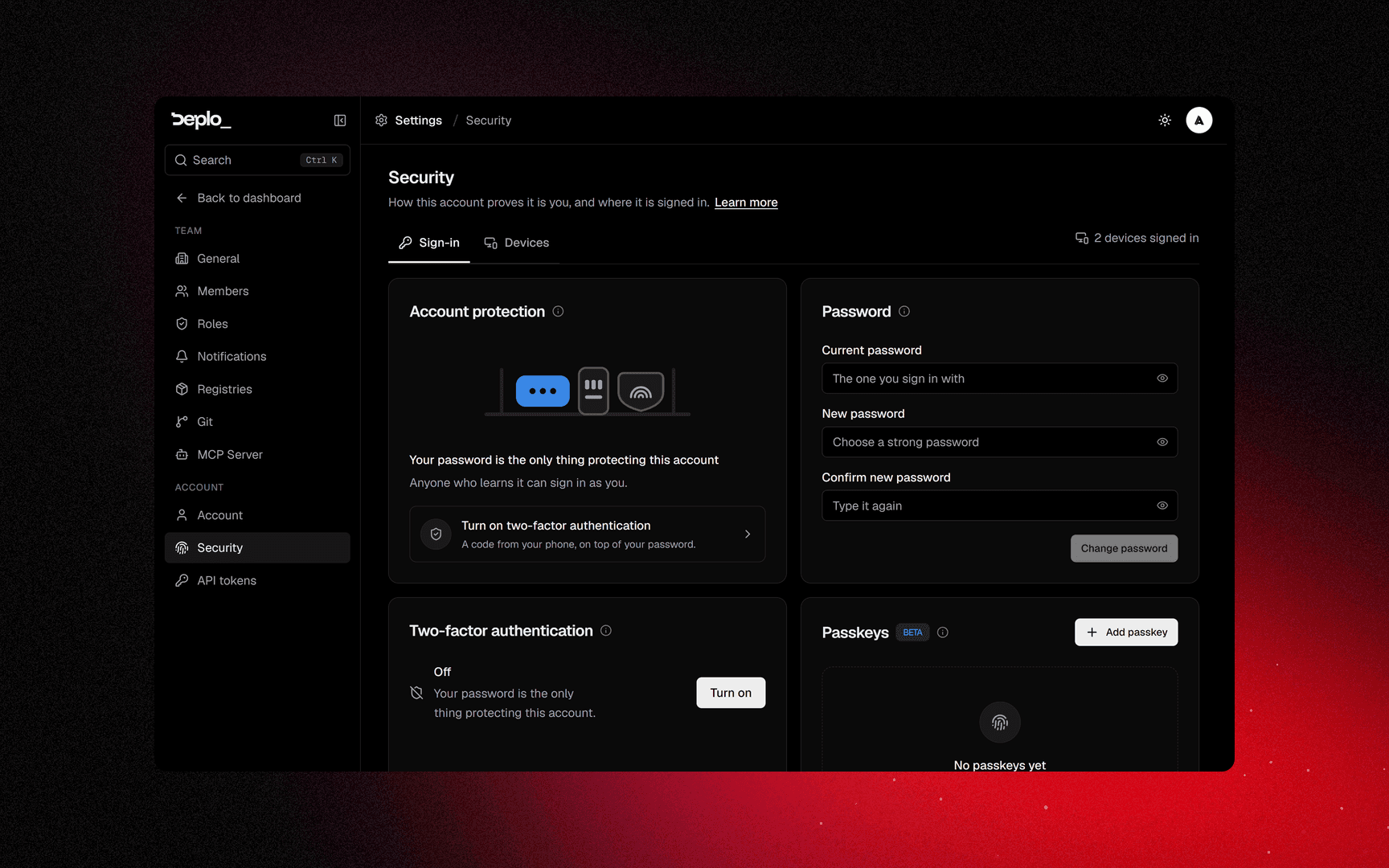
Settings -> Security -> Password, then Change password. Enter the current one, then the new one.
Changing it does not sign out your other devices. Use Sign out everywhere else for that.
Two-factor authentication
Settings -> Security, then Turn on two-factor authentication.
Confirm it's you
Enter your password. You need an authenticator app on your phone for the next step: 1Password, Bitwarden, Google Authenticator and Aegis all work.
Scan the QR code
Scan the QR code with the app, or type the TOTP setup key by hand. Click I have scanned it.
Enter the code
Enter the six-digit code from the app, then Turn on. The code changes every 30 seconds. If one is rejected, wait for the next.
Save the recovery codes
Copy or Download the recovery codes, then confirm I have saved my recovery codes somewhere safe. They let you in when you do not have the phone.
At sign-in you then get a second screen for the six-digit code or a recovery code in
xxxxx-xxxxx form.
Turn off removes it, unless a team or a role you hold requires it.
Passkeys
Beta. A passkey is a full sign-in method, not a second step: Sign in with a passkey replaces the password, and it also counts as two-factor.
- Add passkey asks for your password first.
- Rename does not.
- Remove asks again.
Each passkey shows where it is stored:
| Type | What it means |
|---|---|
| Synced | Saved in a keychain, so it follows you between your devices. |
| This device | Only on the machine where you registered it. |
| Security key | A physical key you plug in or tap - USB, NFC or Bluetooth. |
A passkey is tied to the panel's hostname. If the panel moves to a different address, every passkey shows Not usable here. Sign in with your password and register a new one.
Devices
The Devices tab shows your current browser at the top, then every other one under Other devices with its address and last activity. Each row shows the browser and the operating system, so an unknown entry is easy to spot.
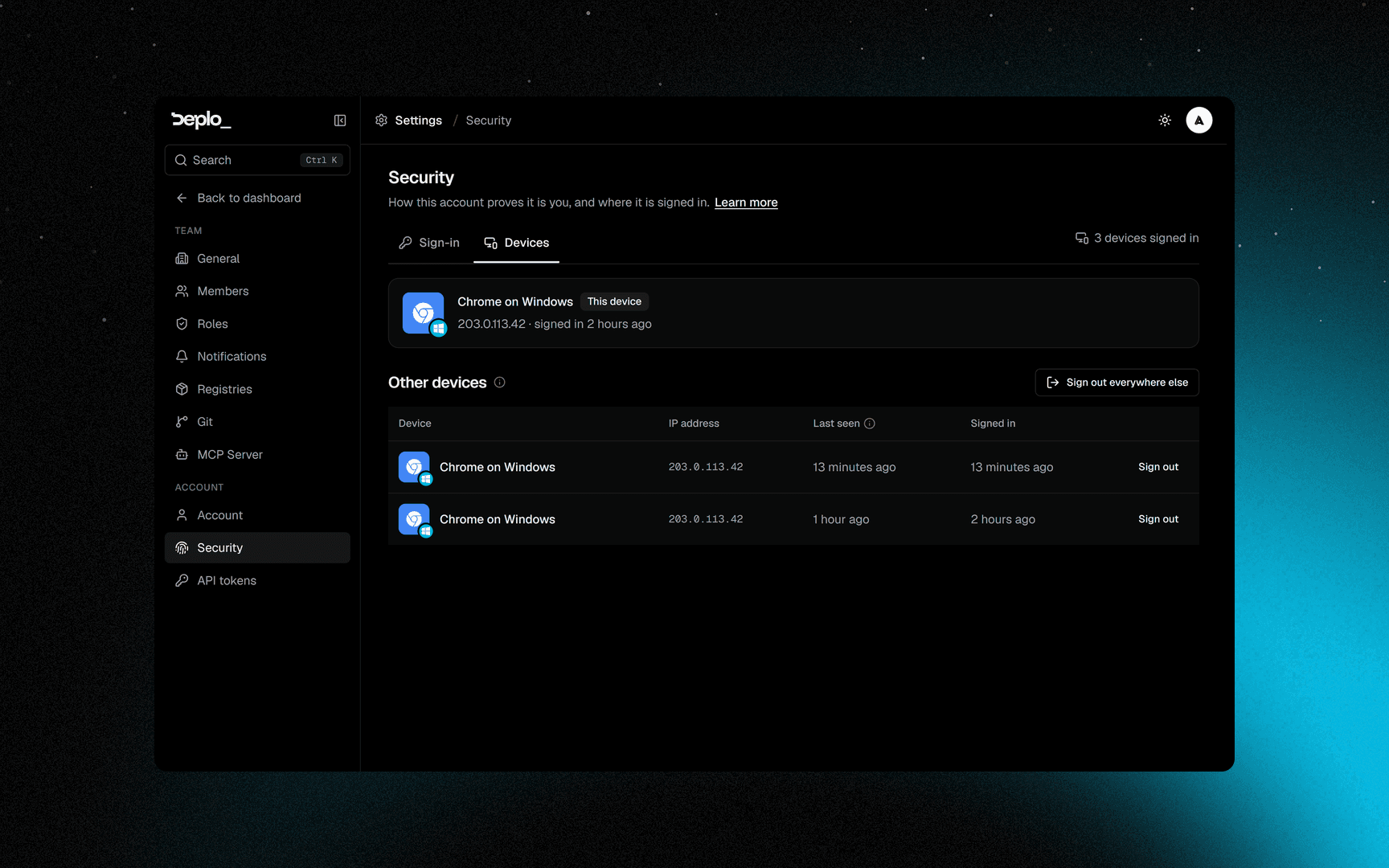
Sign out ends one session. Sign out everywhere else ends all but the current one.
When your team requires two-factor
A team, or a role in it, can require two-factor. If you have not set it up, that team shows a lock screen instead of the dashboard, with the options to turn it on, switch team, or sign out.
Until you set it up, you cannot use that team at all: not from the interface, the API, or any token you created.
Good to know
- Recovery codes are shown once.
- A password change does not sign out other devices. Use Sign out everywhere else.
- External credentials are not breach-checked (registry, SMTP, S3, git tokens).
- If you lose both the authenticator and the recovery codes, an instance admin has to reset your account.
Troubleshooting
- The six-digit code is rejected: the phone's clock is wrong. The code is time-based.
- Passkeys all say Not usable here: the panel address changed. Sign in with your password and add a new one.
- You are locked out of a team: it requires two-factor. Set it up from the lock screen.
See Sign-in and access for more.
Next steps
Did this page help you?