
Activity, in the sidebar, shows who did what on your team, and when.
On a wide screen the filters and the breakdown are in a column on the right. On a narrow one the filters are above the timeline and the breakdown at the end of the page.
The timeline
One timeline, newest first, grouped by month. Each entry shows:
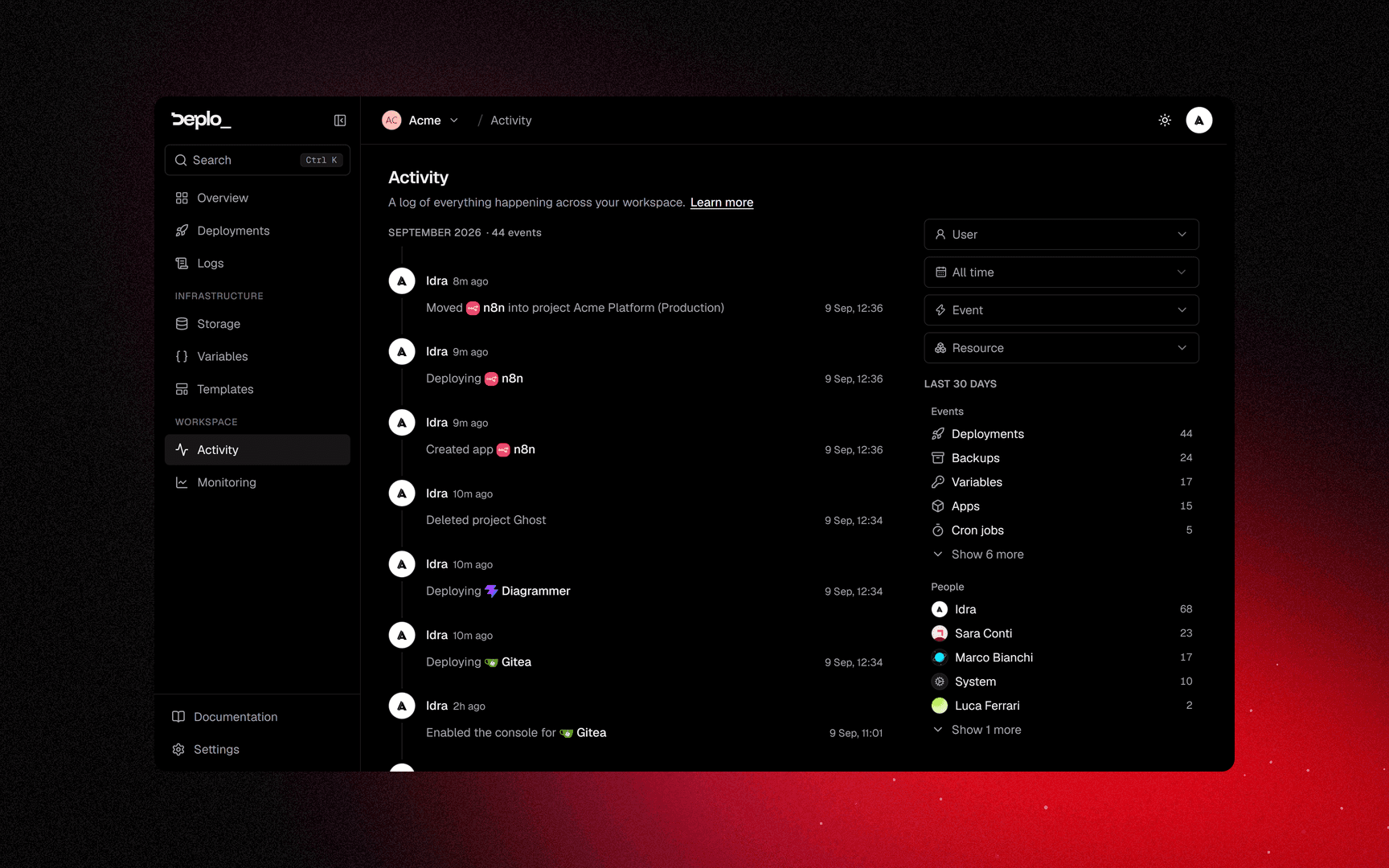
- the face of the person who acted,
- their name, and how long ago it was,
- what they did, in one sentence, with the exact time at the end.
The app or database named in an entry shows its own picture, and the name links to it.
The same action repeated by the same person is grouped into one entry, with one line per run.
The month heading stays at the top while you scroll, with the number of events in that month.
Actions done by the system or by a git provider are attributed to System, with the event's
icon instead of a face.
More entries load as you scroll down.
Filters
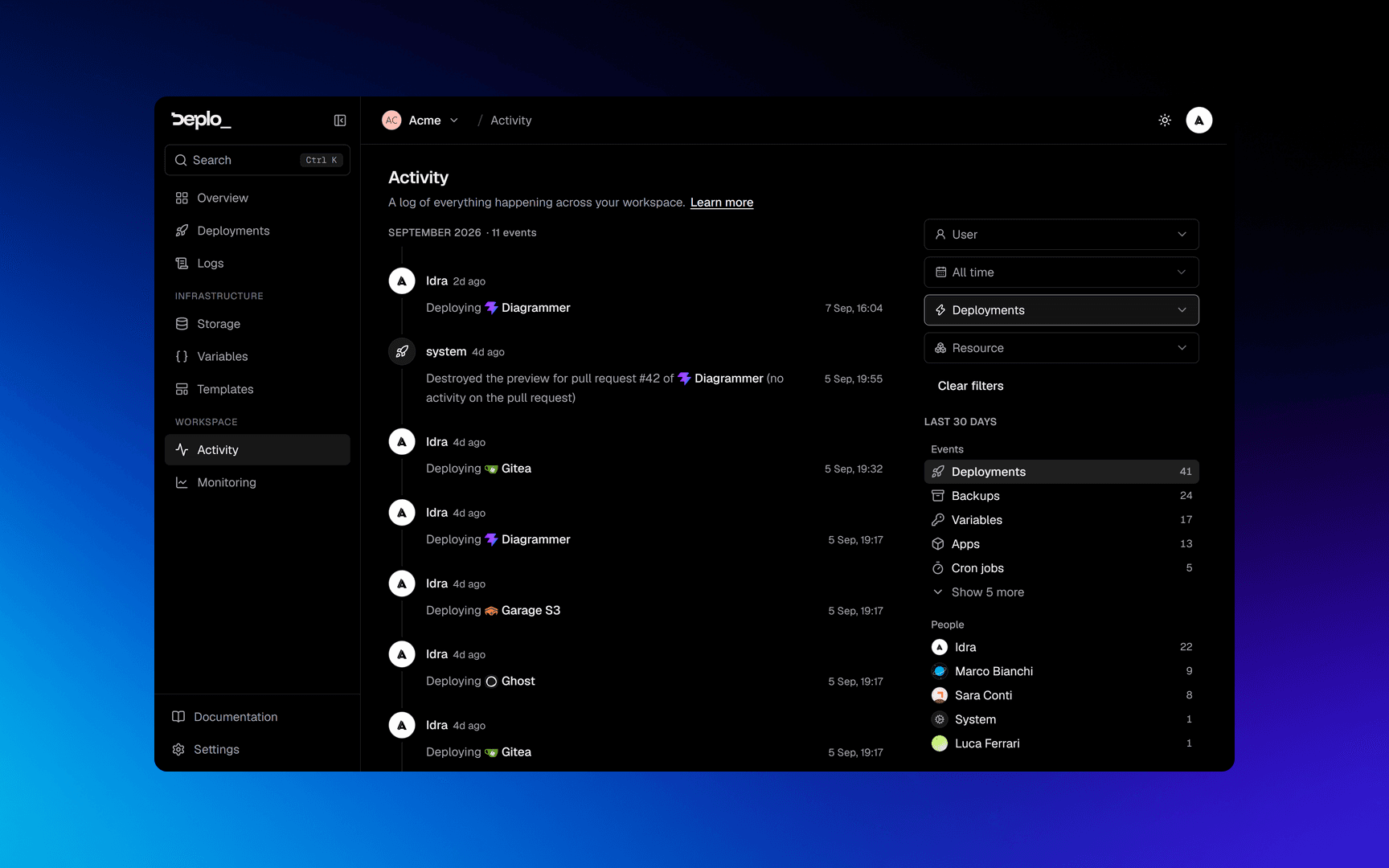
Four filters, and they combine: several values in one filter widen the result, two different filters narrow it.
Prop
Type
The filters are part of the URL, so a filtered view can be shared as a link.
Every option shows how many events it covers. An option with 0 stays in the list.
The breakdown
Under the filters, Events and People list what the period holds, busiest first. Click a line to filter the timeline by it, click again to remove the filter.
The heading says which period the numbers cover: the dates you picked, or the last 30 days when no date is set. With no date filter the timeline itself goes back further than that.
Each list ignores its own filter: picking a person filters the events next to them, but still shows everyone else's totals. Each list shows five lines, with the rest one click away.
Filtering by Resource hides team-level events. Adding a member or rotating a token did not happen to an app, so they are left out.
One app, one database
Every app and every database has its own Activity page, in its menu just above Settings. It is the same timeline, already filtered to that one thing. User, Date and Event still work, and Clear filters brings you back to that page.
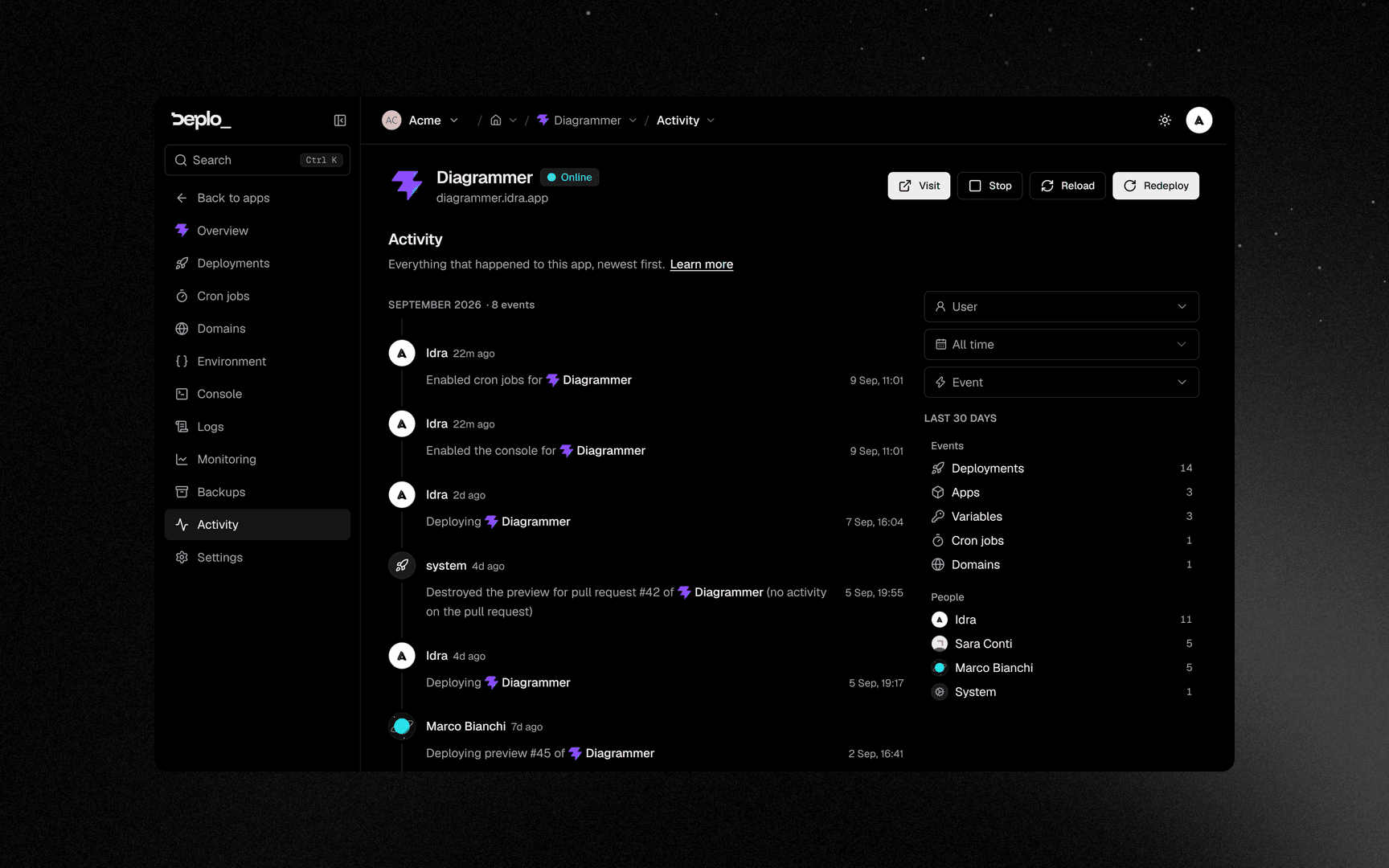
A database's own page shows only events recorded after this page was added. Older events are still on the team-wide Activity.
One person
A member has an activity page too: Settings -> Members -> the member -> Activity. It is the same timeline, already filtered to them. Date, Event and Resource still work, and Clear filters brings you back here.
It needs Manage members, like the rest of a member's page.
Events
Every event has one type, and the Event filter groups them:
| Group | Covers |
|---|---|
| Apps | Deployments, apps, projects, domains, variables |
| Data | Databases, backups, backup destinations, cron jobs |
| Team | Members and roles; tokens, passkeys and two-factor |
| Platform | Servers, integrations, instance settings, Docker cleanup, monitoring, MCP access |
What you can see
Activity needs the View activity capability. A member with access to only part of the team sees the events of the apps they can reach, not the team-wide events.
If an entry could not be written, the next entry says so, so a gap in the log is always visible.
Next steps
Did this page help you?