
Notifications and alerts
Get told when a deploy fails, a backup does not run, a server goes offline, or an API token is created.
Get told when something happens: a deploy failed, a backup did not run, a server went offline, somebody created an API token.
Two parts, configured separately:
- A channel is where a message is sent. There are twelve kinds, and you can have as many of each as you like.
- Each channel has its own alert selection. A team chat room can receive every deployment result while an on-call phone receives only failures.
A new channel starts with sensible defaults.
Channels
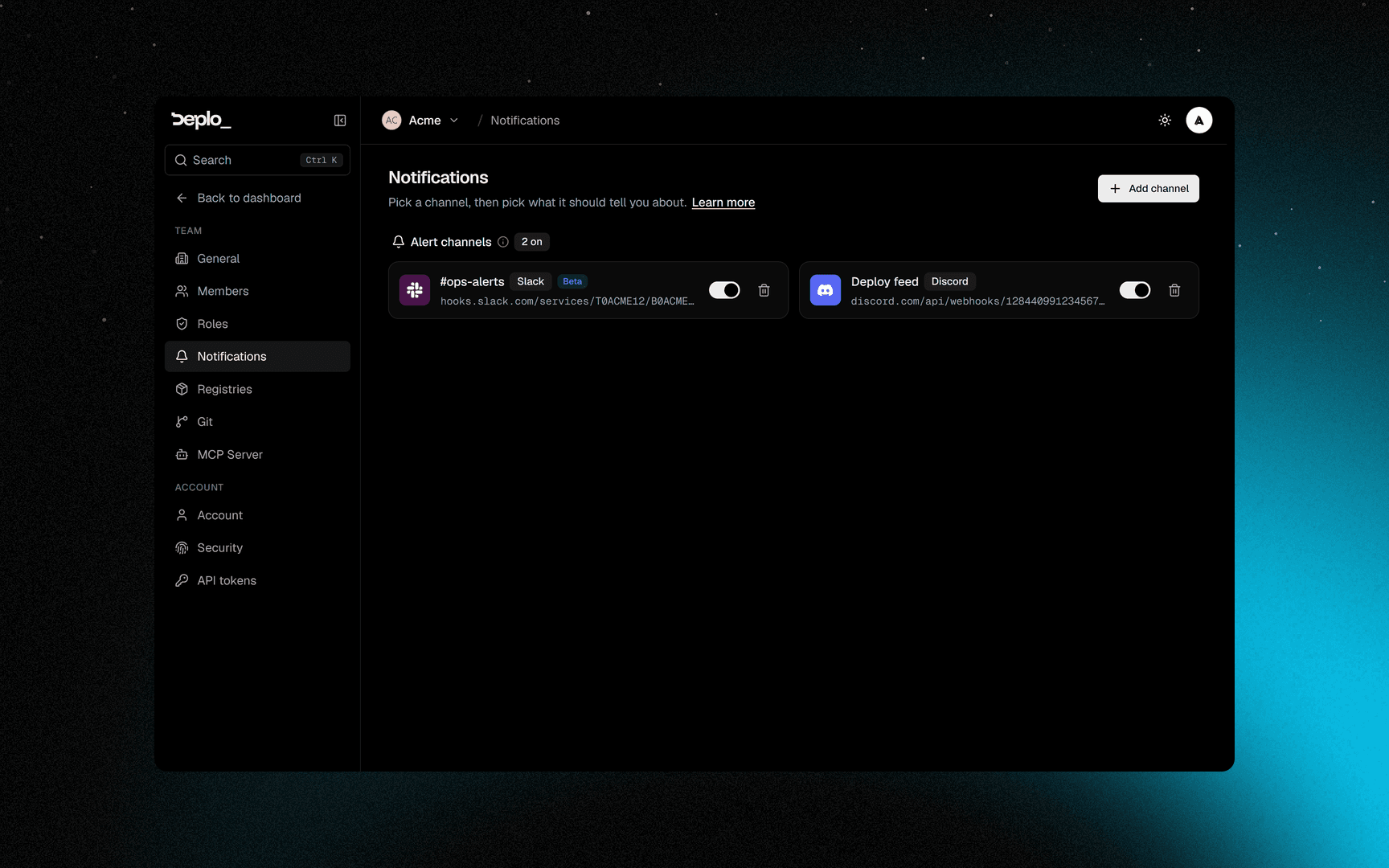
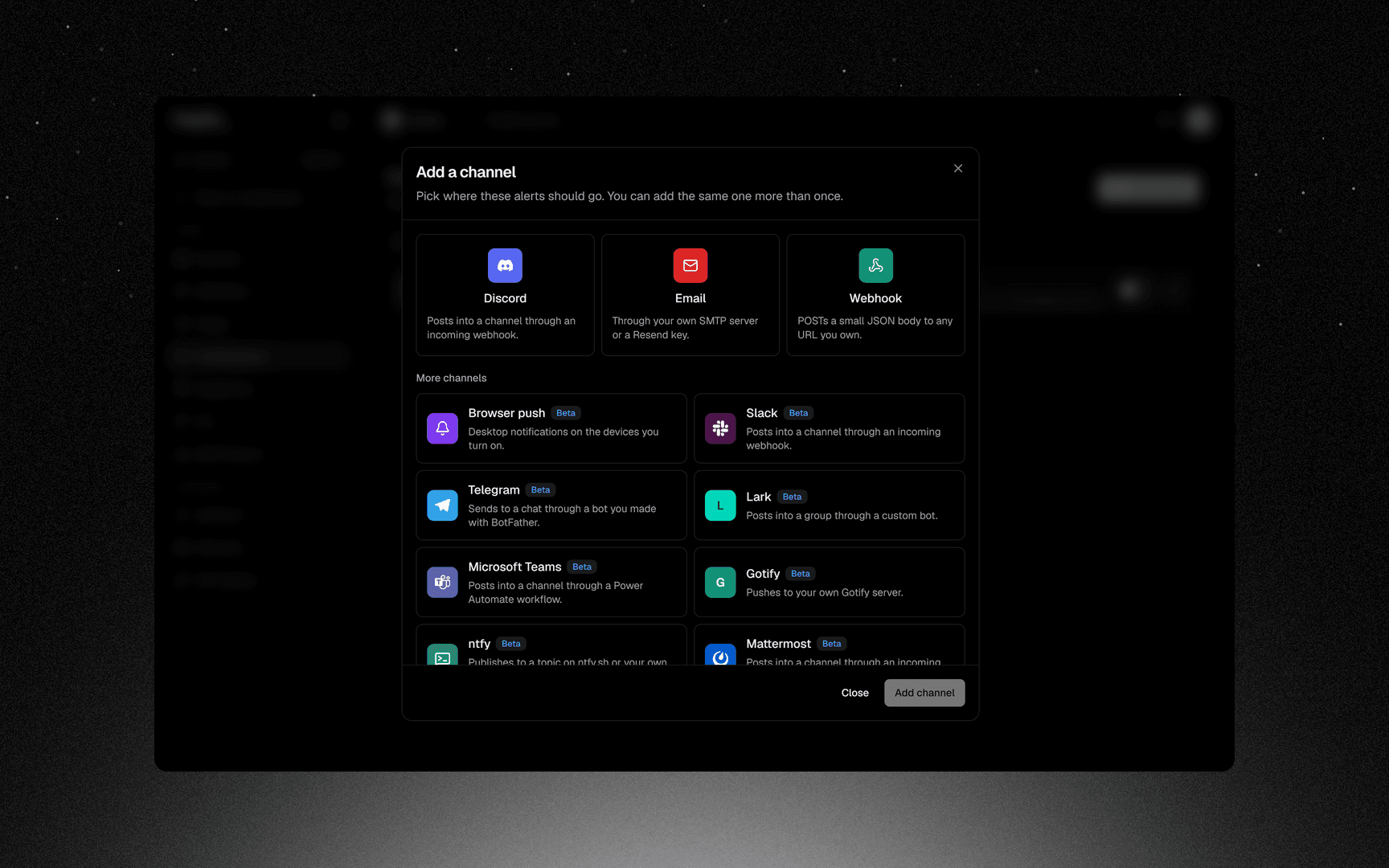
Settings -> Notifications, then add a channel.
| Kind | What it needs |
|---|---|
| Discord, Webhook | An incoming webhook URL |
| Slack, Mattermost, Microsoft Teams, Lark | An incoming webhook URL. Beta |
| Telegram | A bot token and a chat id. Beta |
| Your own SMTP server, or a Resend API key | |
| ntfy, Gotify, Pushover | The service's URL and token. Beta |
| Browser push | Permission from your browser. Beta |
Each channel has a test button. Credentials are write-only: a field left blank when you save keeps what is already stored.
Pick what each channel is told about
Open the channel's alert picker. It has a search box and a category list, like the role editor. The 37 alerts are grouped in nine categories:
| Category | Examples |
|---|---|
| Deployments | Deployment failed, Deployment succeeded, Deployment interrupted, Git connection stopped working, Deplo lost access to a repository |
| Apps | App keeps restarting, App ran out of memory |
| Cron jobs | Cron job failed, Cron job finished |
| Databases | Database ready, Database setup failed, Database rebuilt, Database deleted |
| Backups & restore | Backup failed, Backup finished, Restore finished, Restore failed |
| Servers | Server offline, Server back online, Server running hot, Server disk almost full, Server cannot run apps, Server identity changed, Server agent certificate not renewed, Cleanup failed, Leftover containers |
| This Deplo instance | A new Deplo version is available |
| Security & team | API token created, API token revoked, Member joined, Member removed, Member access changed, Team owner changed, Two-factor requirement changed, Repeated failed sign-ins |
| Domains & TLS | Certificate expiring, Domain points elsewhere |
Unselect all and Reset to defaults are both available.
Alerts are not the activity trail
- An alert interrupts. It goes to a channel right away, because somebody should look.
- The activity trail is looked up later. It answers "who did this and when" in the Activity page. It is never delivered anywhere.
Good to know
- Every webhook URL must be public HTTPS. Addresses inside your own network are refused, for security reasons. A Gotify or ntfy on the LAN does not work.
- Every alert in the list is real. None of them is a switch that never fires.
- Notification settings are per team. Another team's failures go to their channels.
manage_notificationsis the capability.
Troubleshooting
| Symptom | What to check |
|---|---|
| The test succeeds and real alerts never arrive | That channel's alert selection does not include them. Open its picker. |
| The test fails | The message names the cause: a rejected certificate, a refused connection, a name that does not resolve. |
| Saving a channel is refused | The URL is not public HTTPS, or it resolves to a private address. |
| Email never arrives | Check the SMTP host, port and credentials, and whether your provider requires a verified sender address. |
Next steps
Did this page help you?