
For example: a nightly cleanup, a report at 6am, a queue worker tick, or
php artisan schedule:run.
How it works:
- The panel decides when a job runs. The agent on the server runs it, so restarting or updating the panel does not kill a running job. While the panel is down, nothing new starts.
- The command runs in the current container of the Compose service you named, so a redeployed app keeps working. With no service named, it runs in the app's own container.
- The command runs in a plain
sh -c(orbash -c), with the container's own environment. No login shell, no profile files. - Each job has its own timezone. A job set to 03:00 Europe/Rome runs at 03:00 in Rome, in summer and in winter. Backup schedules use UTC instead.
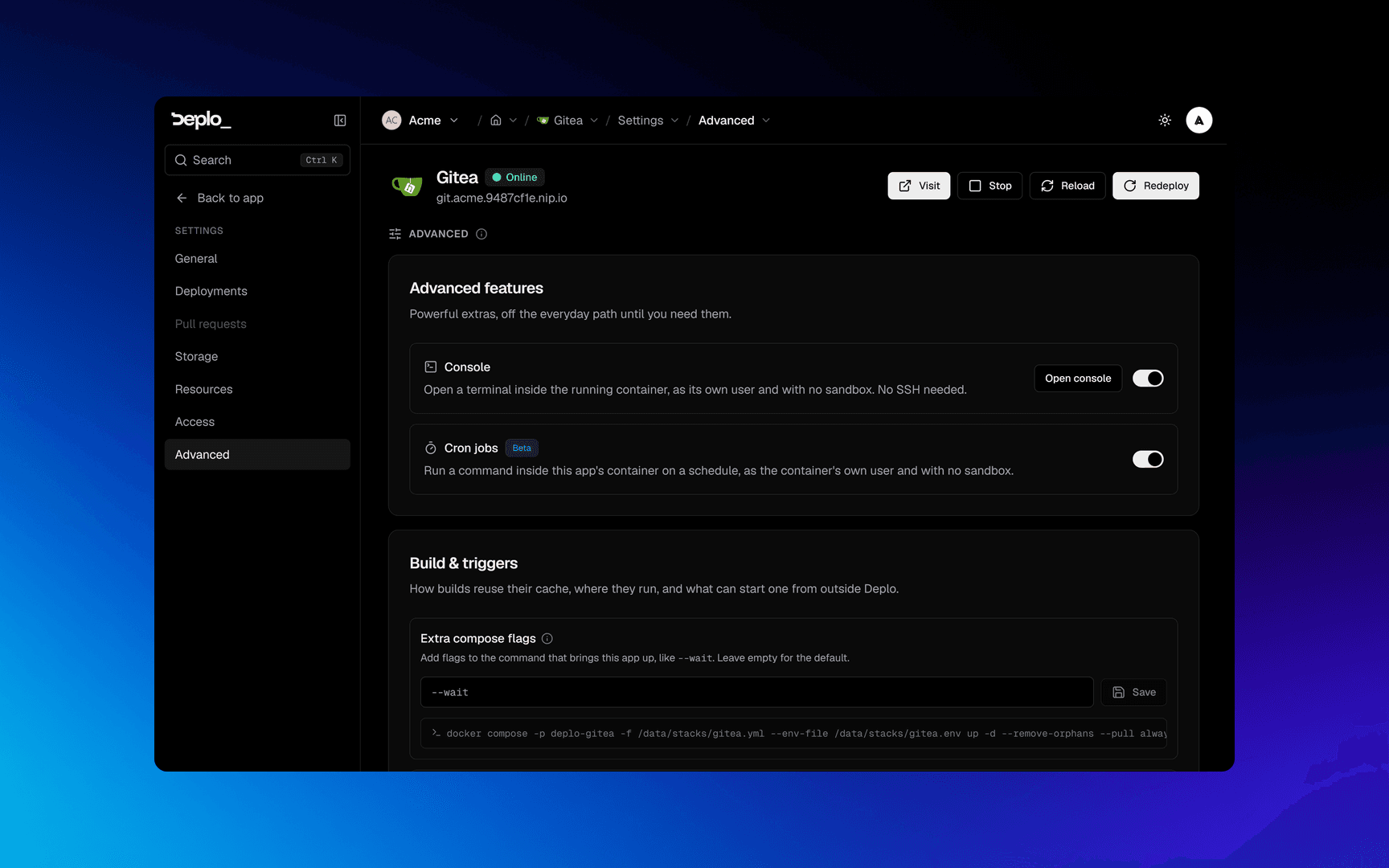
Turn it on
Cron jobs are off by default, per app and per database. The switch is also the pause button for every job under it.
Open the app's Advanced settings
Open the app, then Settings -> Advanced.
Create the job
A Cron jobs tab appears. Open it and click New cron job.
For a database it is the same, in Settings -> Advanced of that database.
Create a job
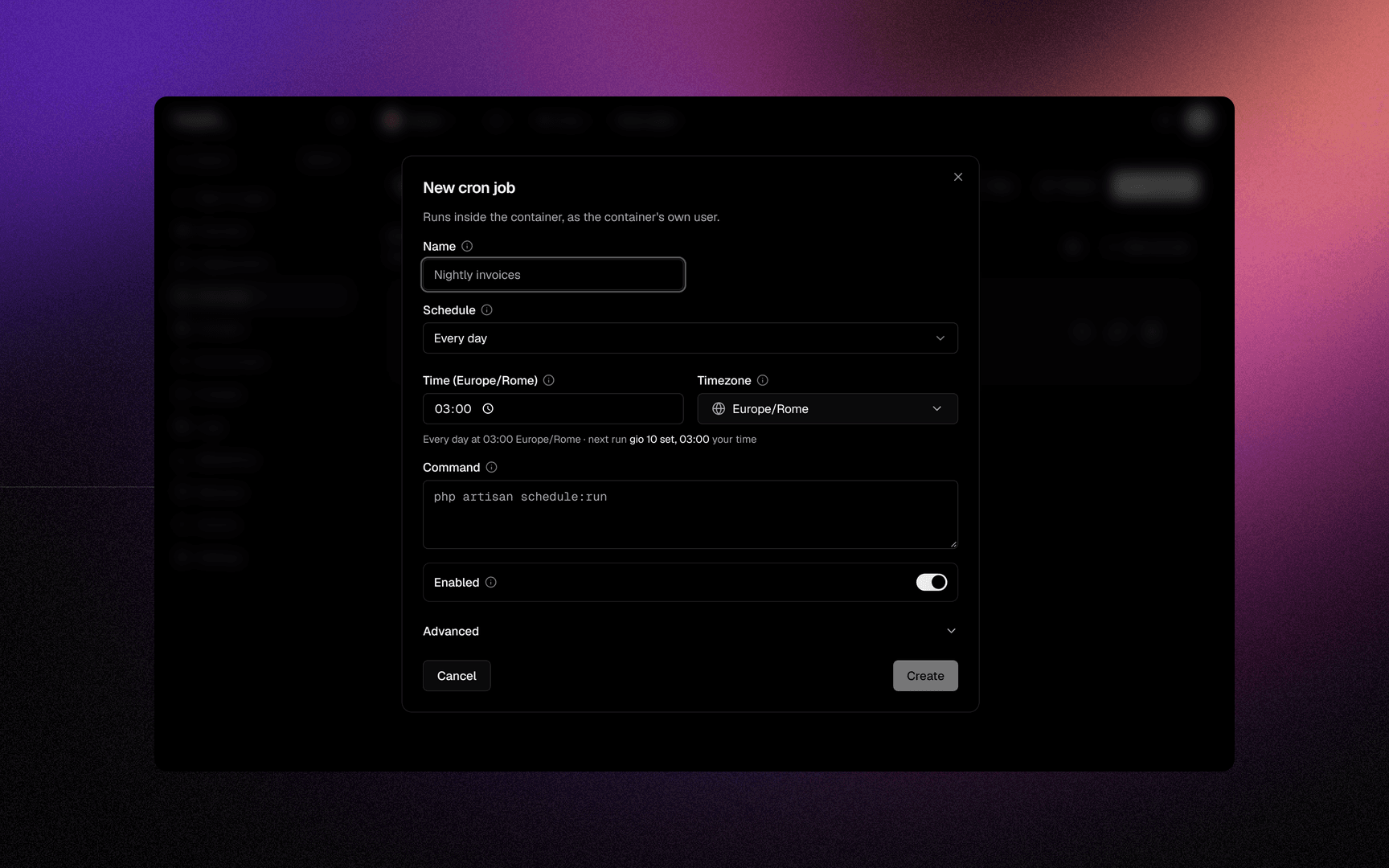
Prop
Type
Reading the run history
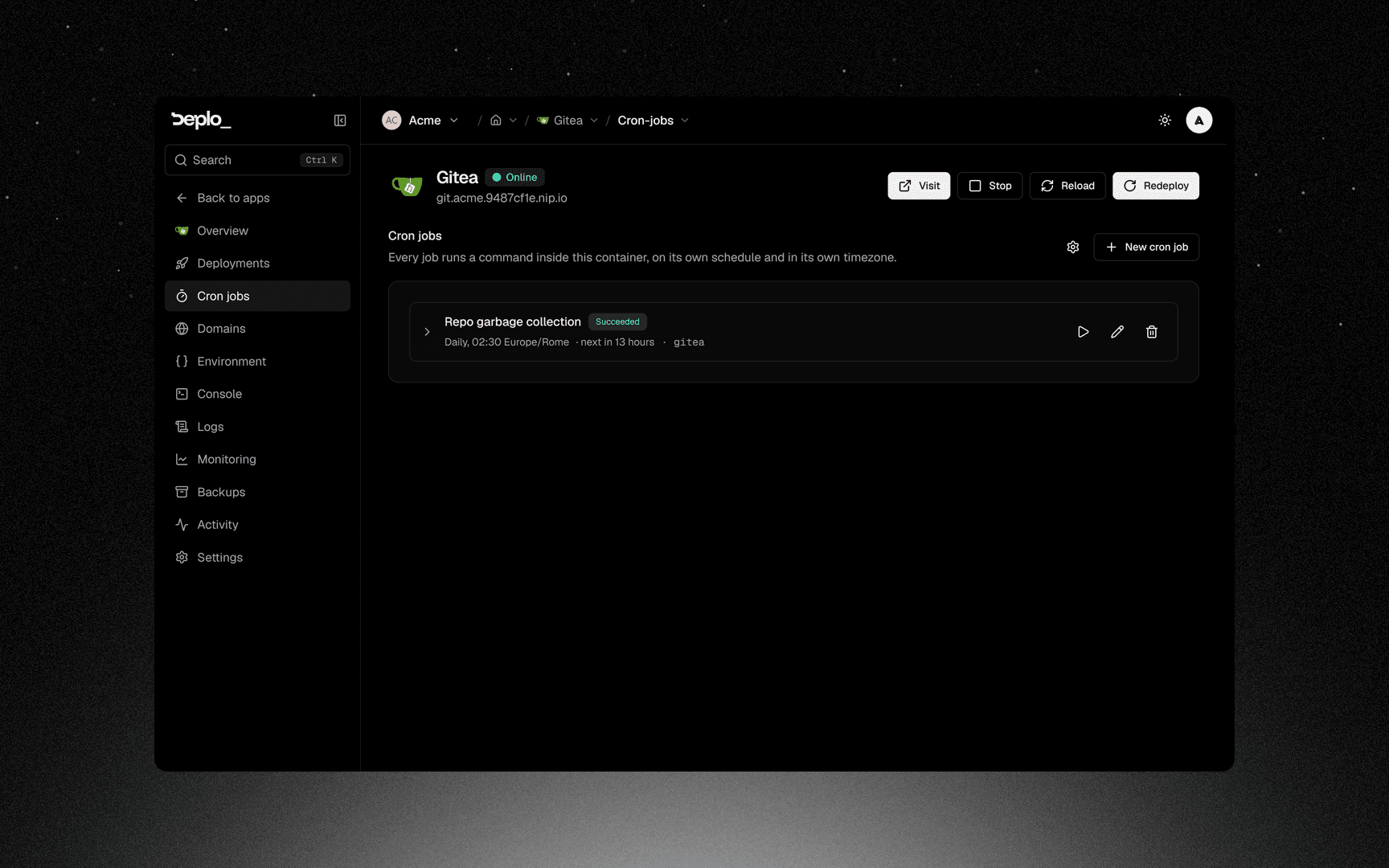
Prop
Type
Retries share one row: a job with three attempts is one run with an attempt counter. The stored output is the last 16 KiB of the last attempt. Run now creates a run marked as manually triggered.
Good to know
- A job runs any code as the container's user. For security reasons
manage_cronsis a sensitive capability, and the feature is off by default. - The switch pauses everything. Turning it off keeps the jobs defined and stops all of them.
- A stopped app runs nothing. Occurrences are
skipped. - Stopping a run stops the command and everything it started.
- A job that keeps failing alerts once every 30 minutes, not on every run.
- This is not a job queue. No dependencies between jobs, no backoff beyond the attempt count.
Troubleshooting
- Every run is
skipped: the container is stopped, or the previous run never finishes. shell not found: the image has nobash. Choosesh.- The command works in the console and fails here: the console is an interactive login shell, a cron job is not. Anything a profile file sets up is missing. Use absolute paths, or set it under Variables.
- Runs go
lost: the agent lost contact during the run. Check that server.
See Servers and agents for more.
Next steps
Did this page help you?