
Deploy an archive of your project instead of connecting a repository. Deplo builds it like a clone, framework detection included: Railpack, Nixpacks, a Dockerfile or a Static build.
Use it for a project that is not in Git, for a one-off, or when the code lives somewhere Deplo cannot reach.
Deploy one
Start a new app
Add new, then Application, then the Upload tile.
Choose the archive
Drop it on the card, or click to browse. Accepted formats are .tar.gz, .tgz, .tar and
.zip. Put package.json (or the equivalent) at the top level, or under the root directory you
set.
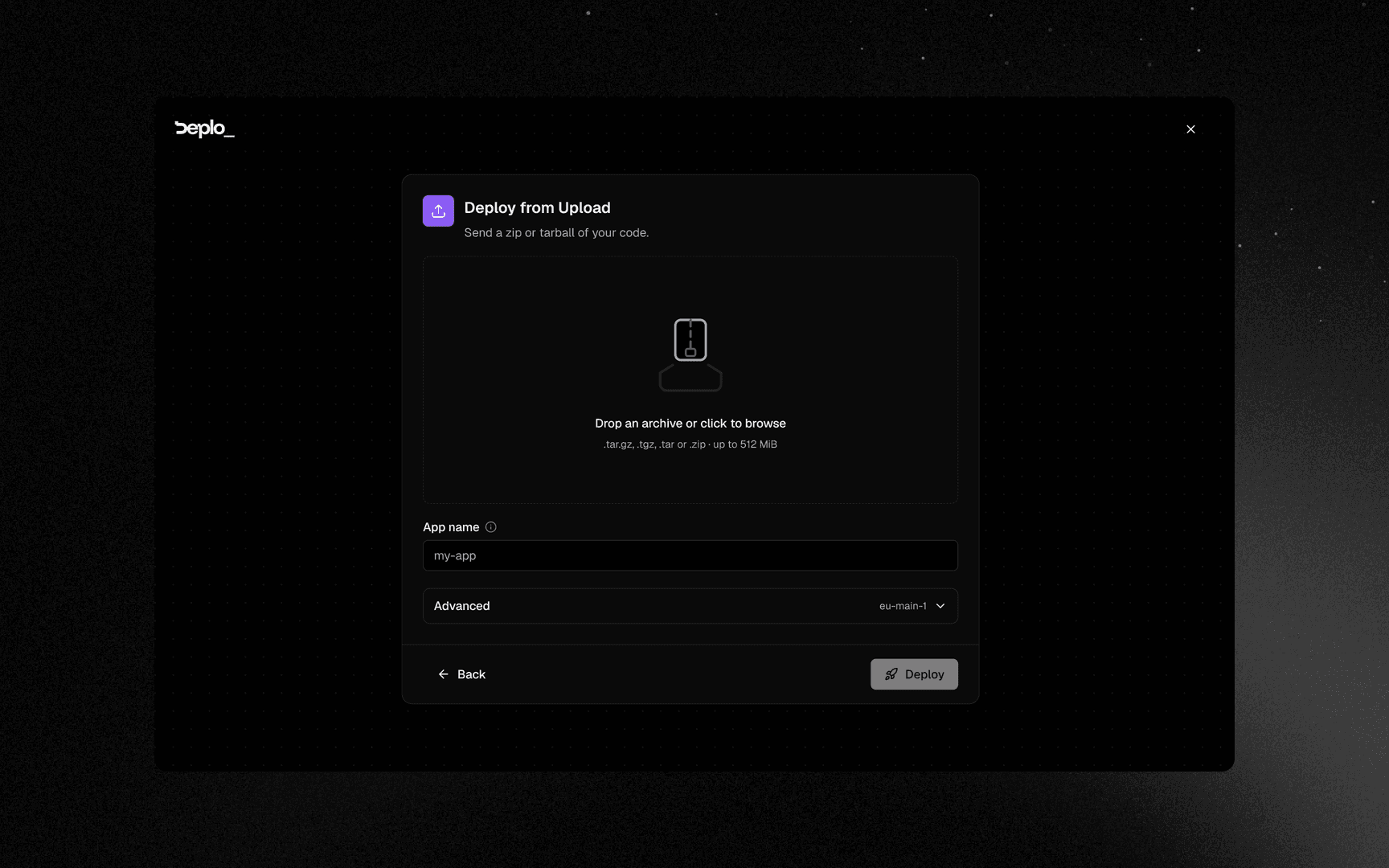
You can also drop the archive anywhere on the Overview. The wizard opens here with the file already loaded.
Deploy
App name is filled in from the filename. The server and the build settings are under Advanced, already filled in. Click Deploy: the wizard uploads the archive and starts the first build.
To ship a new version, go to Settings -> Deployments, upload a new archive, and click Save & Deploy.
Good to know
- No automatic deploys. There is no repository to watch. A deploy hook can trigger a build from CI, but it rebuilds the archive currently stored.
- Rollbacks work. Deplo builds this source, so past images are kept.
- Exclude
node_modulesand build output. They make the upload huge, and the build reinstalls dependencies anyway. - The archive replaces the previous one. There is no upload history.
Troubleshooting
| Symptom | What to check |
|---|---|
| The build cannot find the project | The archive has an extra top-level directory. Set Root directory on the Deploy Source card, or repackage from inside the project. |
The upload is rejected with 415 | The file is not one of .tar.gz, .tgz, .tar, .zip. |
The upload is rejected with 413 | The archive is over the size limit. Exclude node_modules and build output. |
The upload is rejected with 400 | The file is empty. |
More in Deploys and builds.
Next steps
Did this page help you?